How do I record a goods receipt?
Last updated 13 days ago
If you want to use in the systemstock module,contact by email by post[email protected]
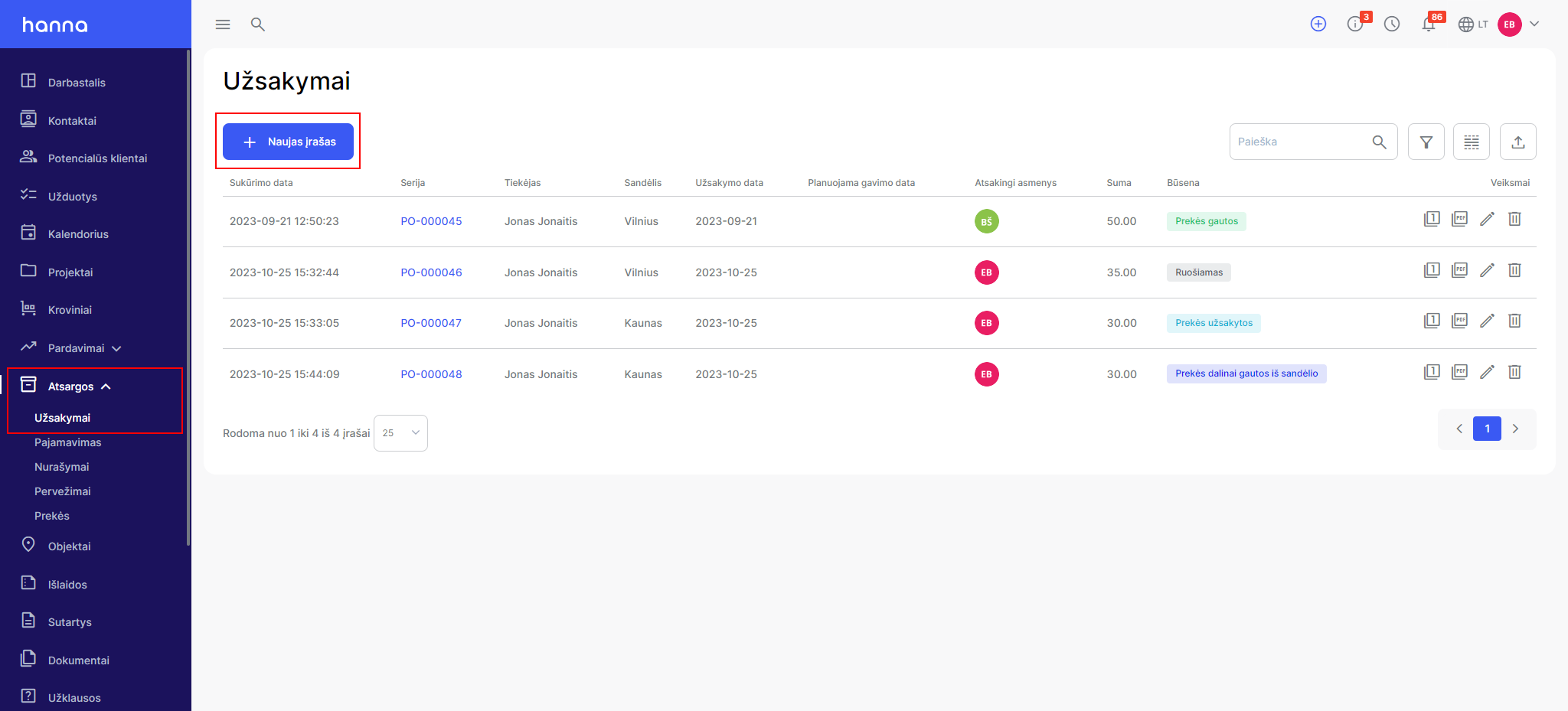
- ChooseStock - Ordersand select the create order button:
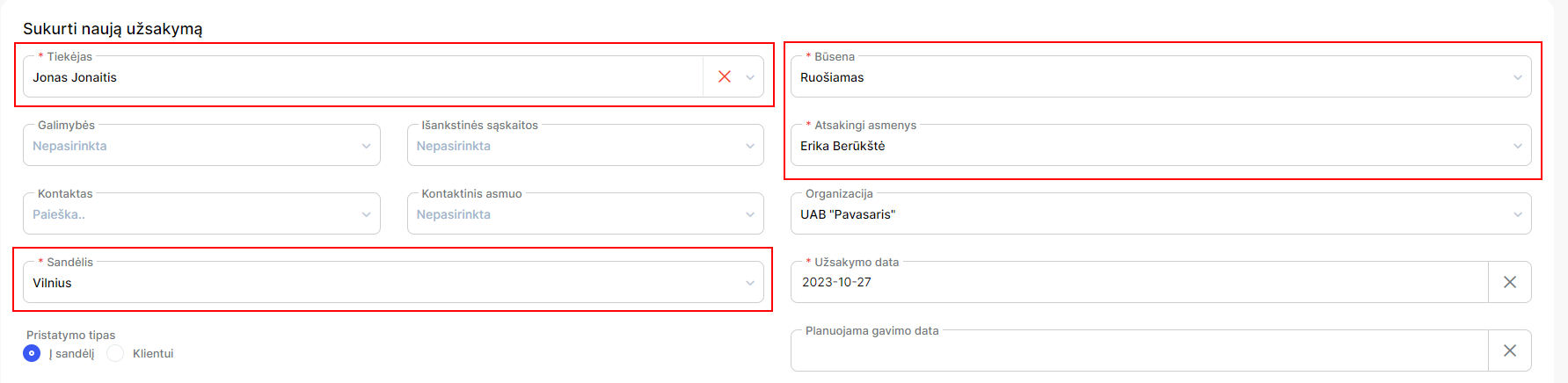
- In the order creation form, specify the required fields:supplier, warehouse, status and assignee:
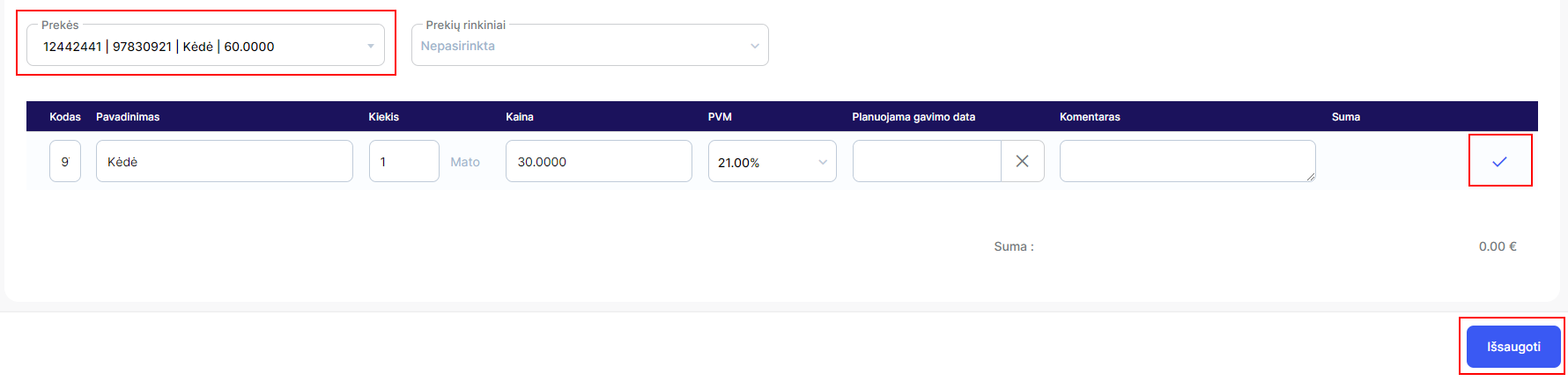
and add goods fromProduct module:
- If the status indicated in the order -In preparation, then the system will not allow the payment to be made:
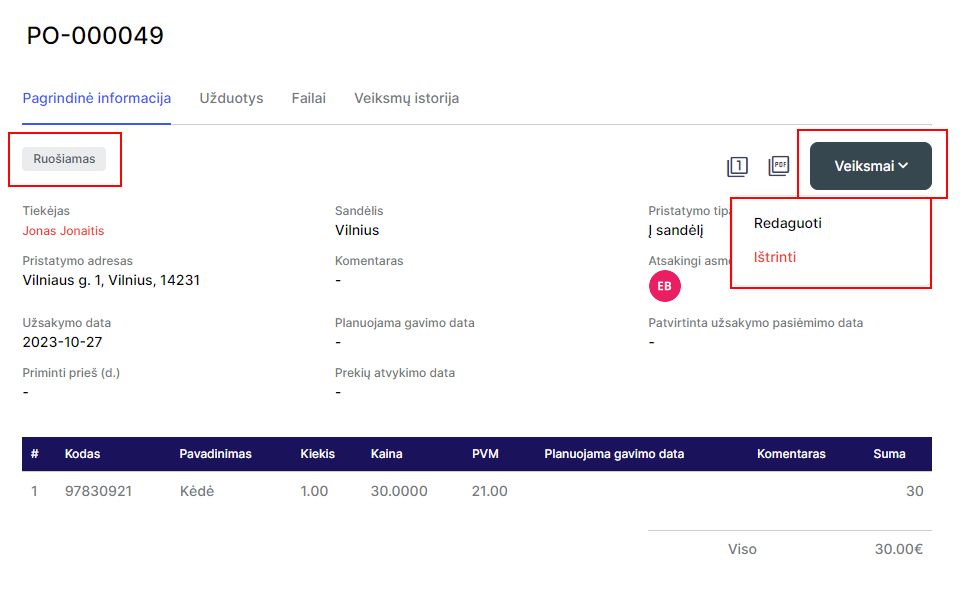
Change the order status toThe goods are orderedand the system will allow you to pay:
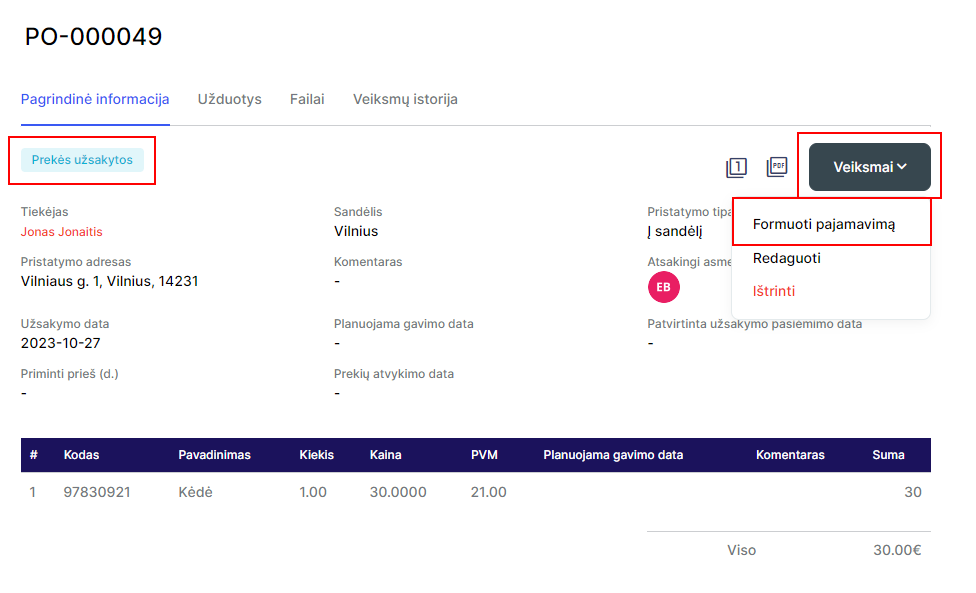
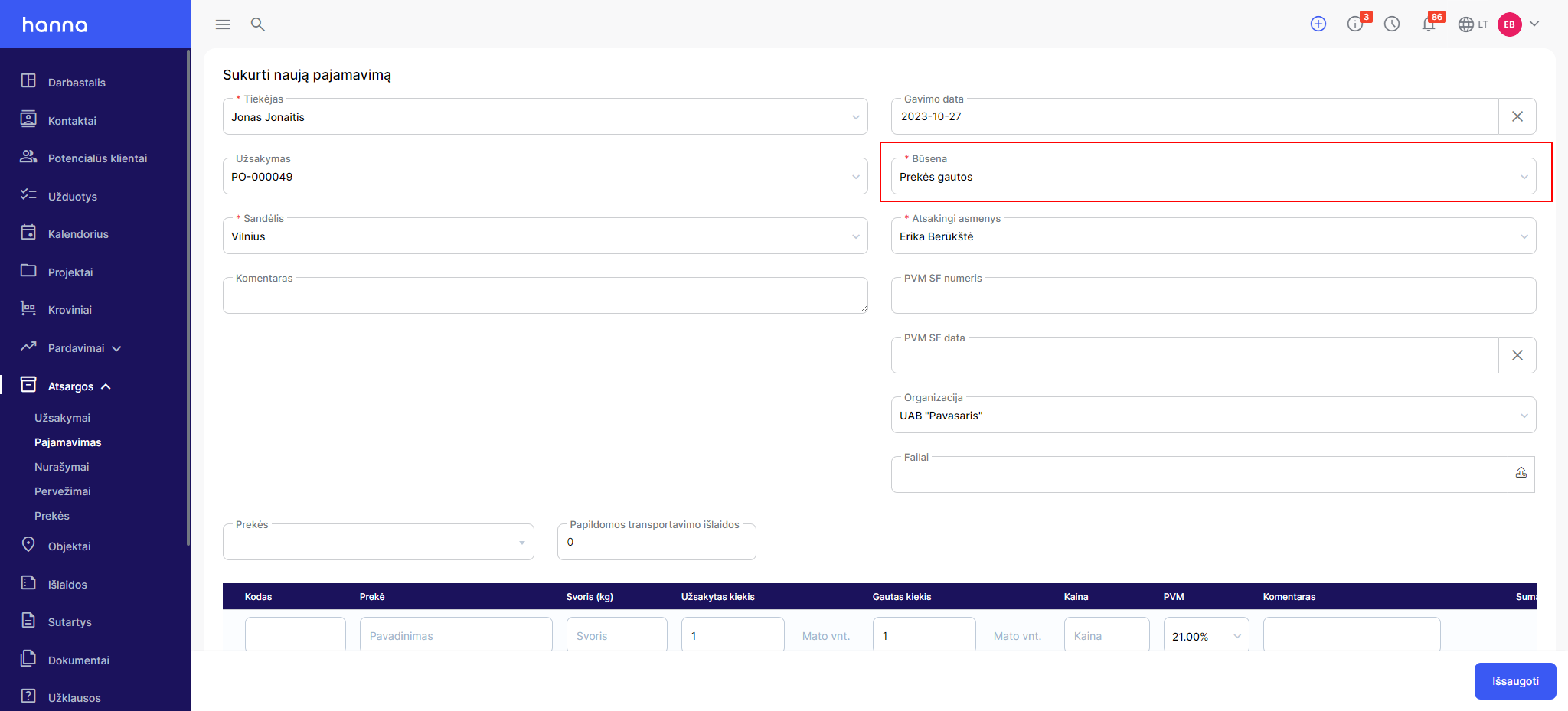
- Once selectedForm incomethe system will transfer you to the payment form, where the system will automatically select the status -Goods received:
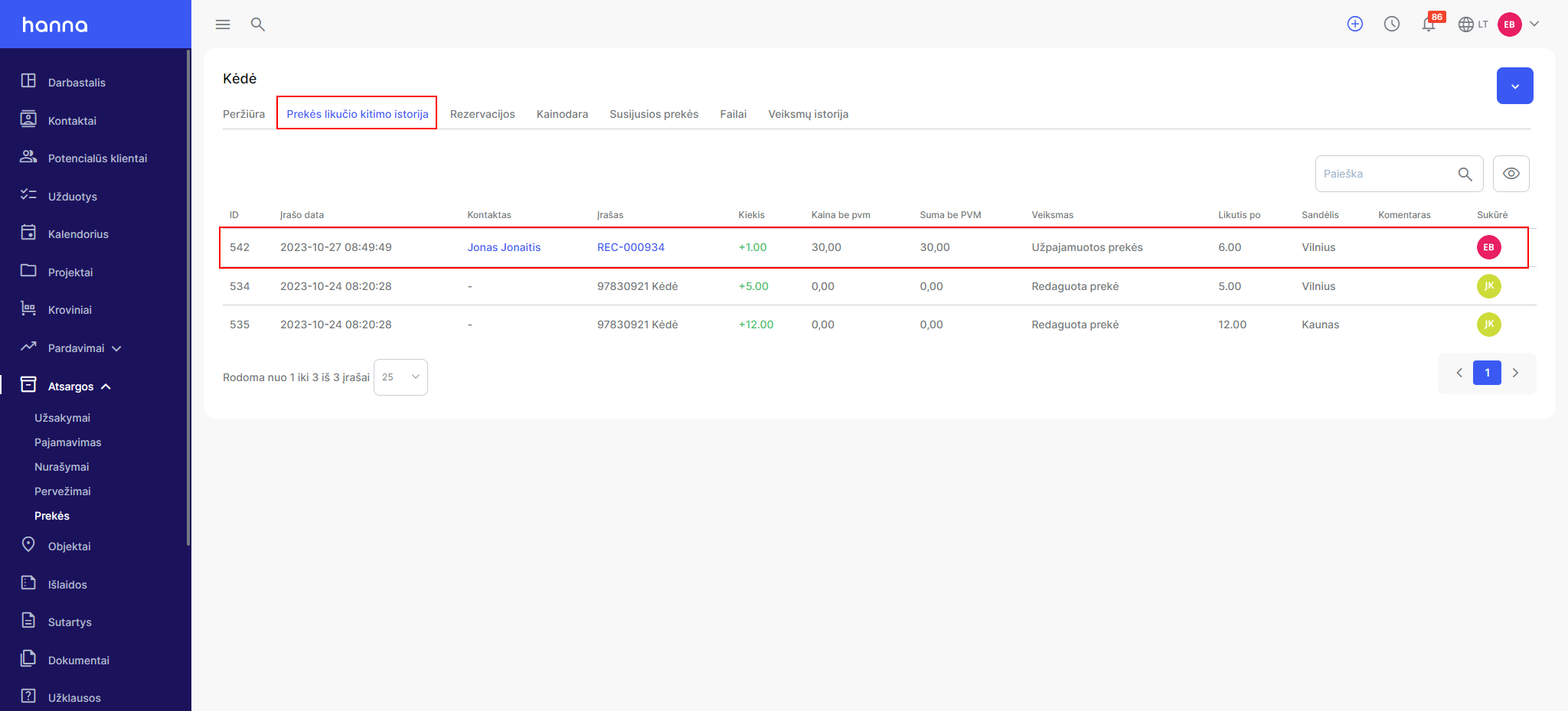
- After saving the earnings on the product cardItem balance change historiessection, you will see that the product has been borrowed and its quantity has been updated on the card:
Was this helpful?
Still need help? Ask the team