How do I view cost prices when preparing opportunities?
Last updated 19 days ago
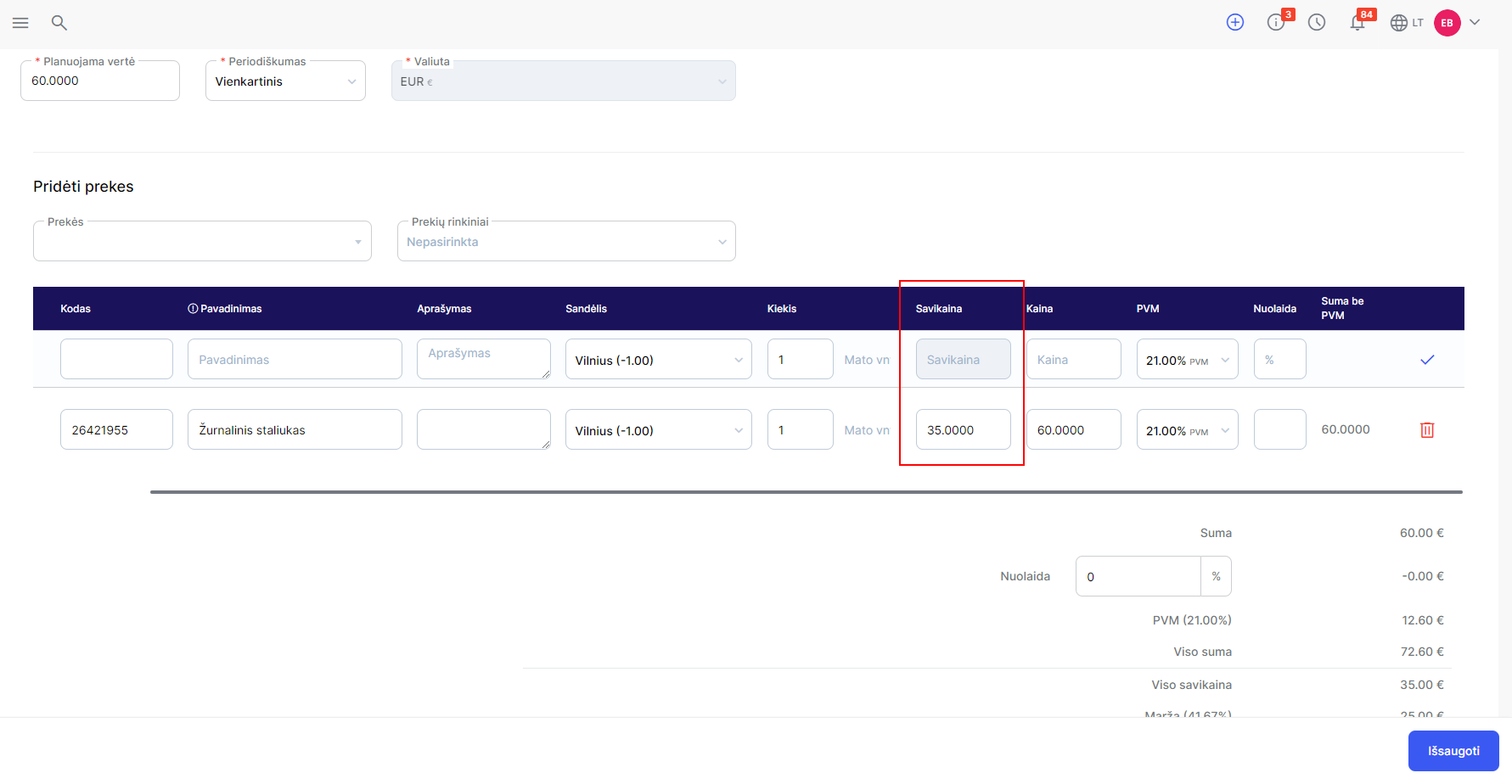
When preparing offers in the system, you can see the cost prices of goods and adjust them:
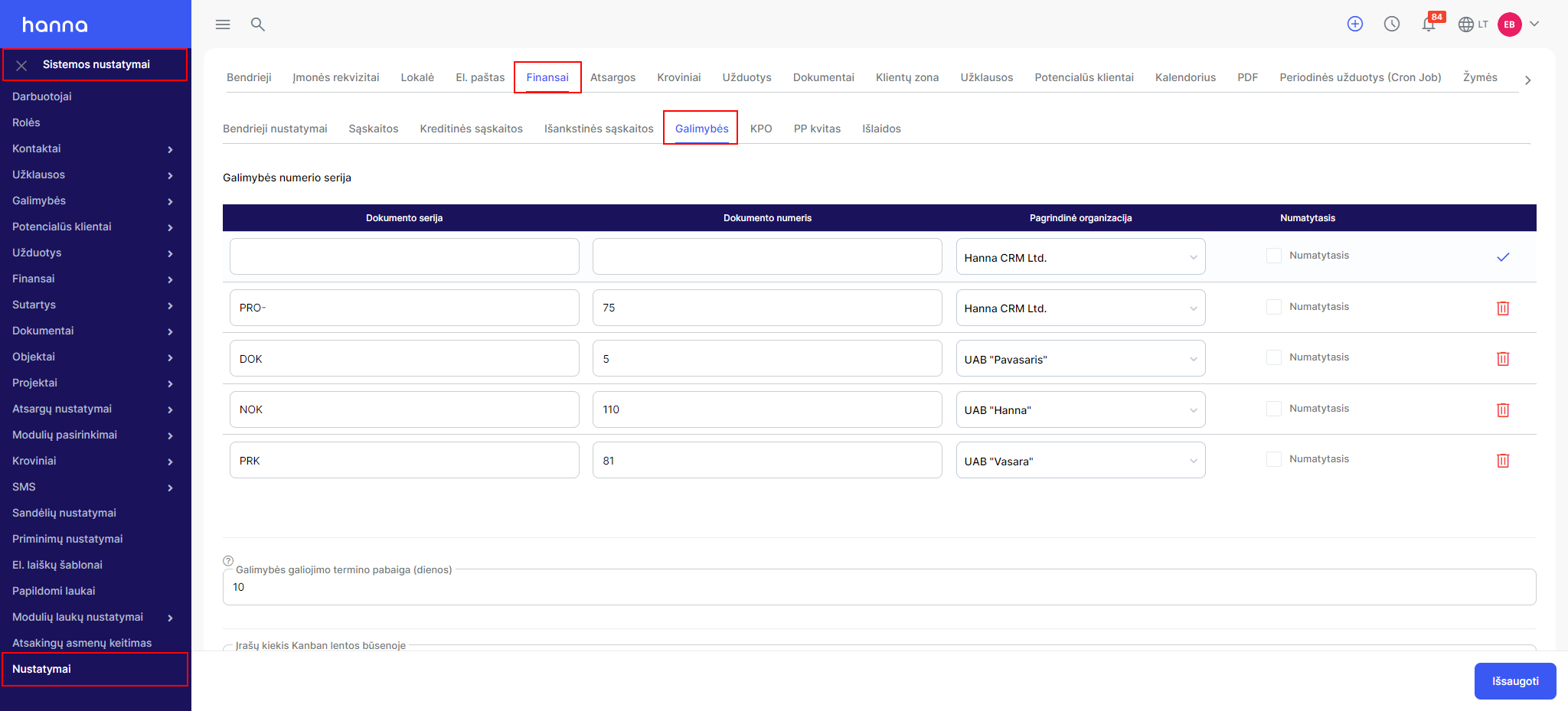
ChooseSystem Settings - Settings - Finance - Options:
At the bottom of the page you will see the options:
- Show the cost of goods in the Opportunity;
- Allow to adjust the cost of goods in the Opportunity.
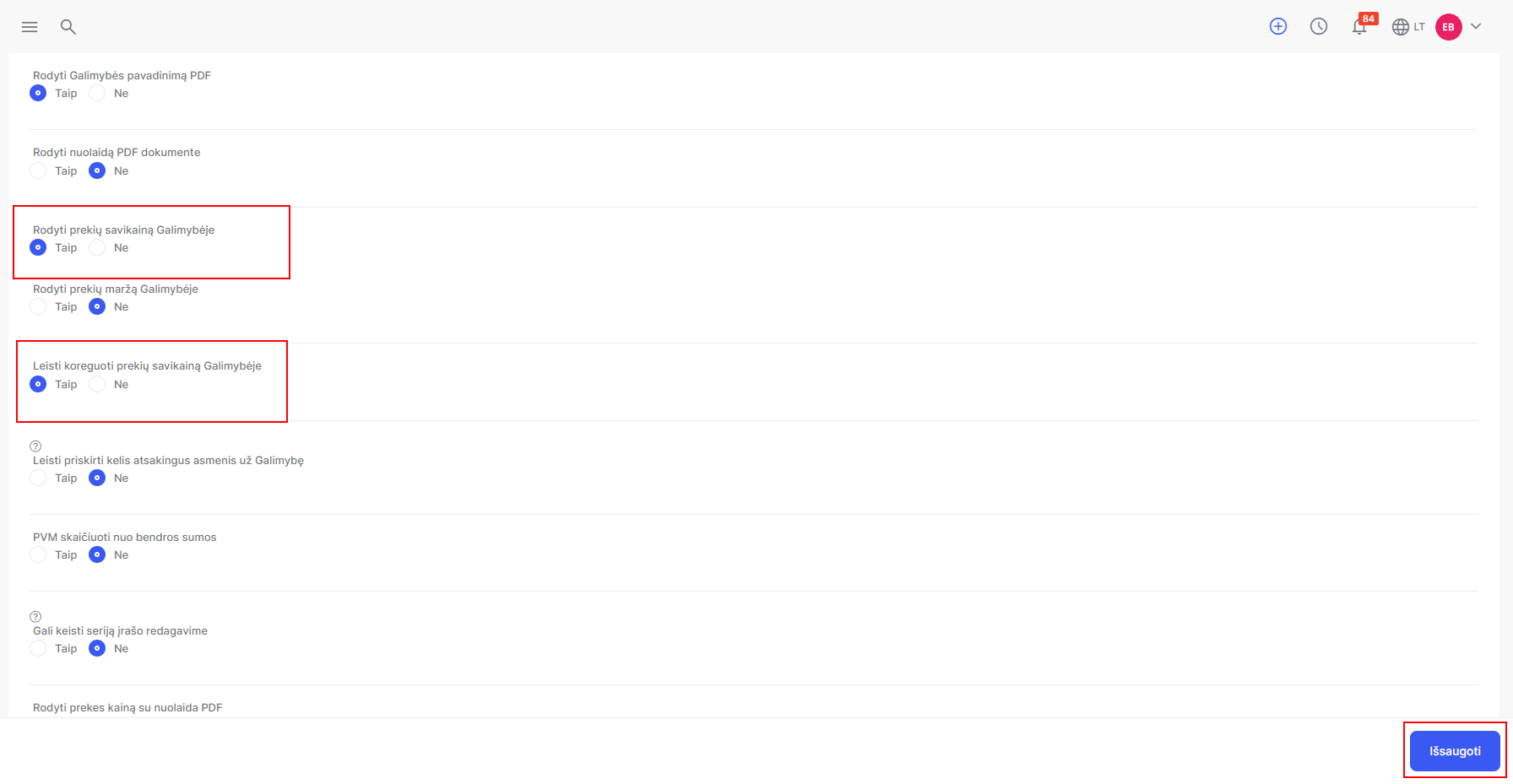
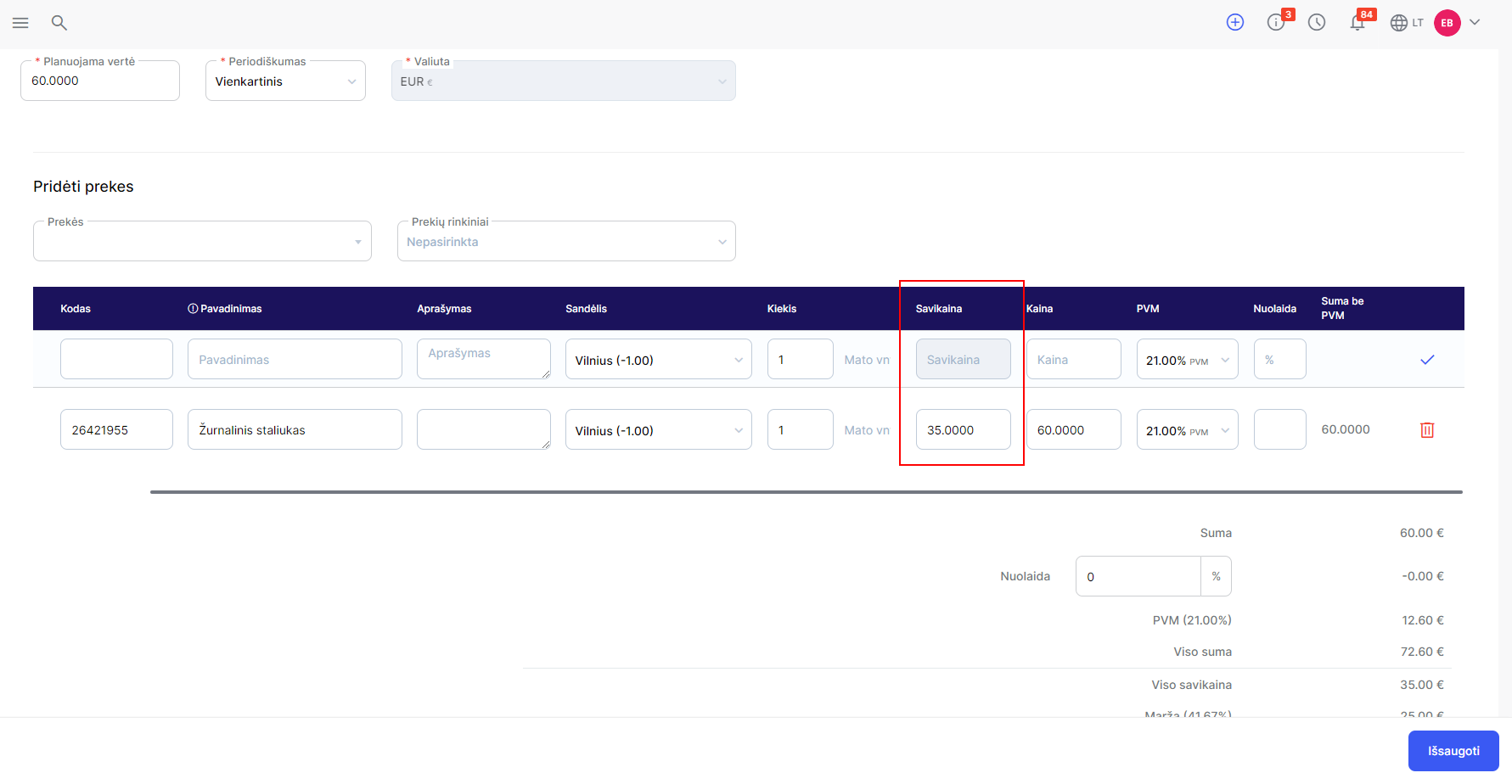
Save the changes. Then you will see and be able to adjust the cost in the options:
Was this helpful?
Still need help? Ask the team