Using organizations in Hanna
Last updated 13 days ago
In this manual
- Organization information
- Numbering of Accounts and Opportunities by organization
- Assignment of rights to employees by organization
Using the Hanna system, you can use different organizations. For example, if your company has different departments and you want to separate the records you create, issue sales documents based on existing organizations.
If you want to have several organizations in the system, please contact us by e-mail. by post[email protected]
Organization information
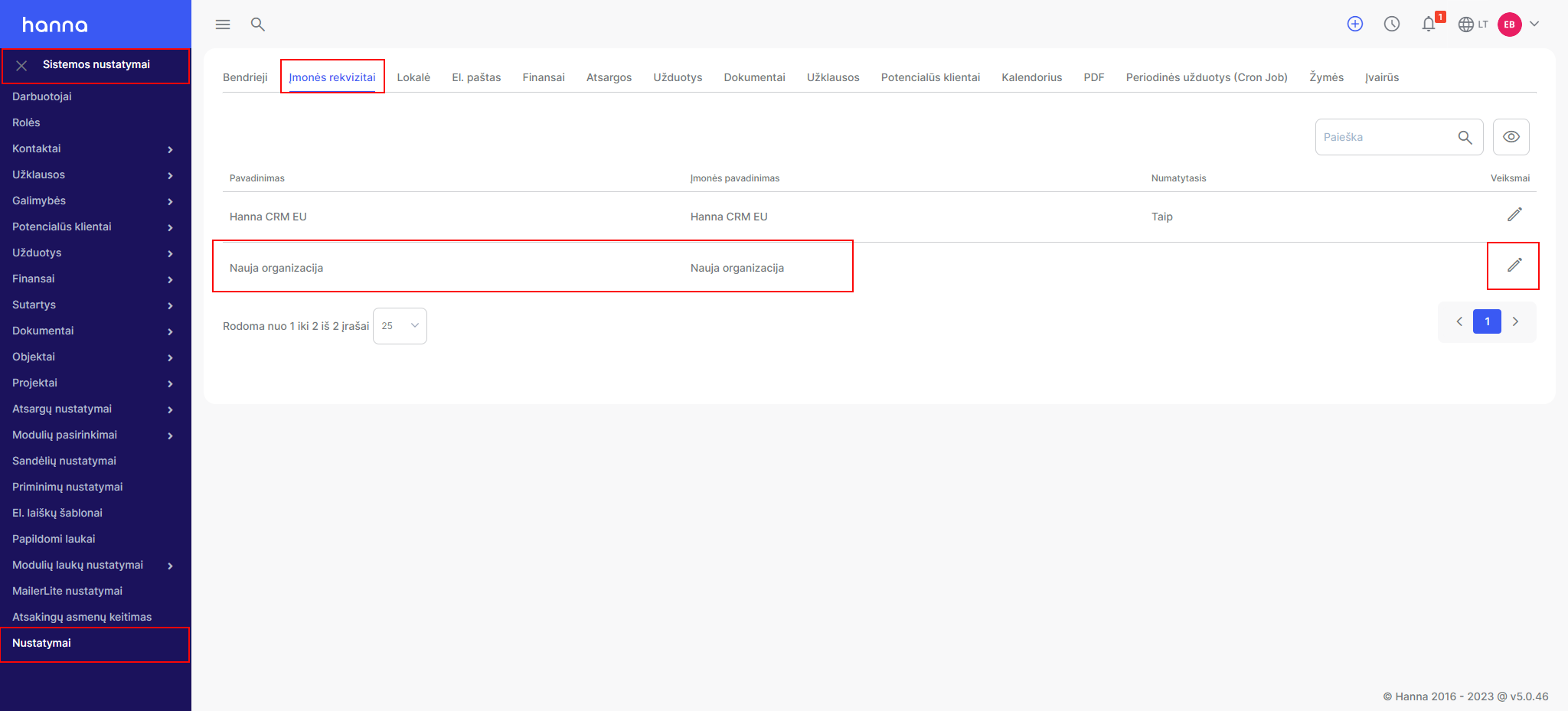
- When you receive confirmation that a new organization has been created for you, selectSystem settings - Settings - Company details- choose to edit the created organization:
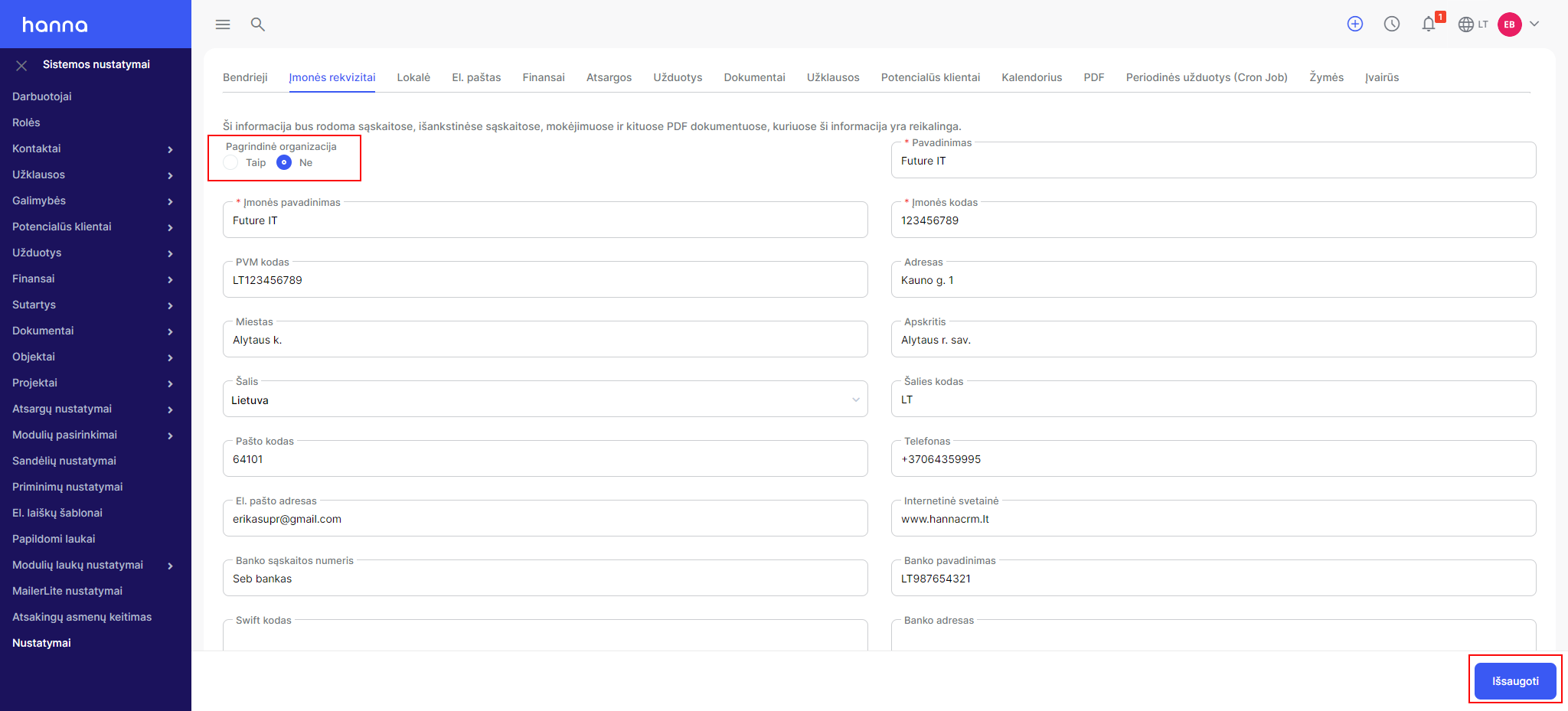
- Adjust the data of the created organization, mark which organization is the main one in the system and save the changes:
- Sales documents (opportunities, invoices, proforma invoices and credit notes) display the logo of the organization in e-mail. in the letter template, depending on which organization is specified in the sales document.
Numbering of Accounts and Opportunities by organization
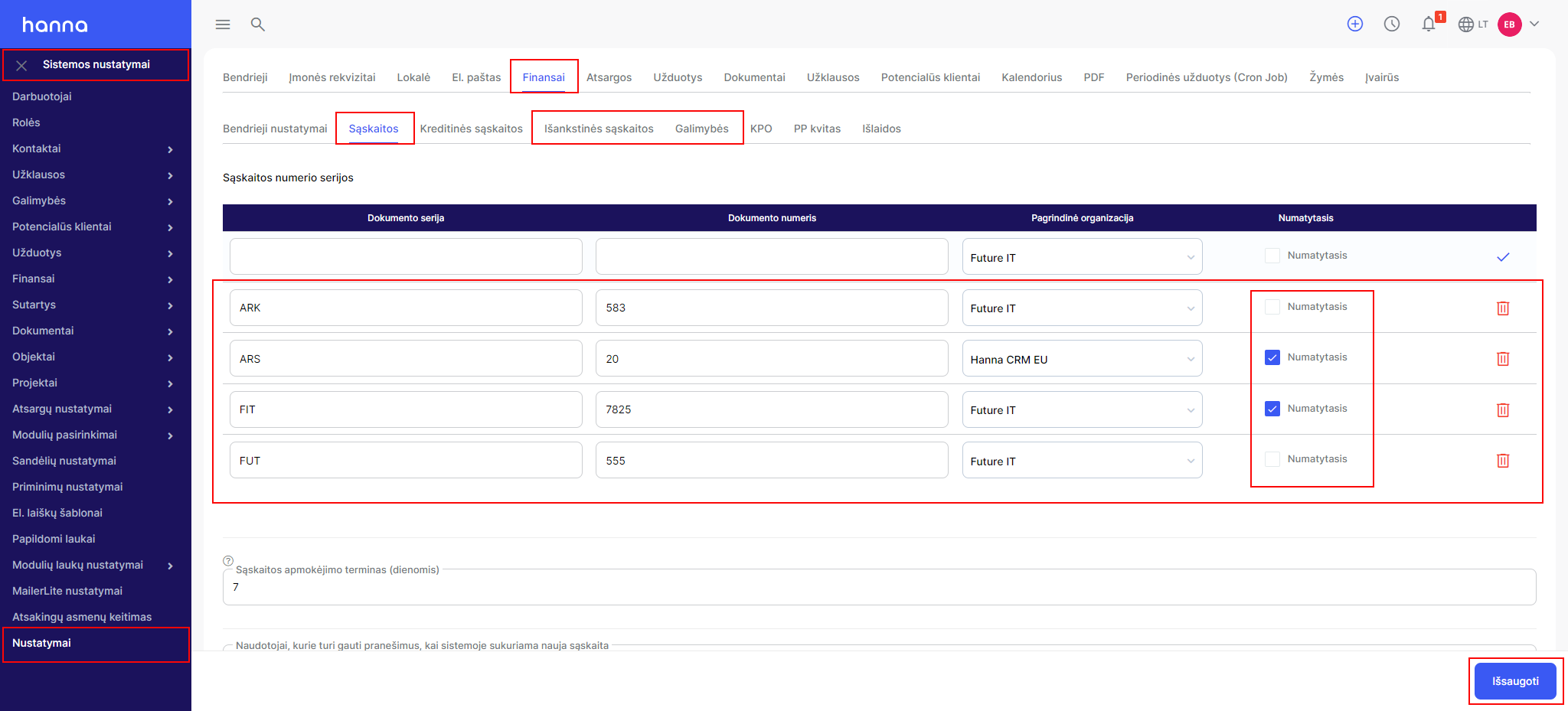
You can assign numbering to Accounts, Proforma Invoices and Opportunities by organization.
- ChooseSystem Settings - Settings - Finance - Accounts/Pre-AccountsorOpportunities- specify the series and number of the document - select the organization and save the changes:
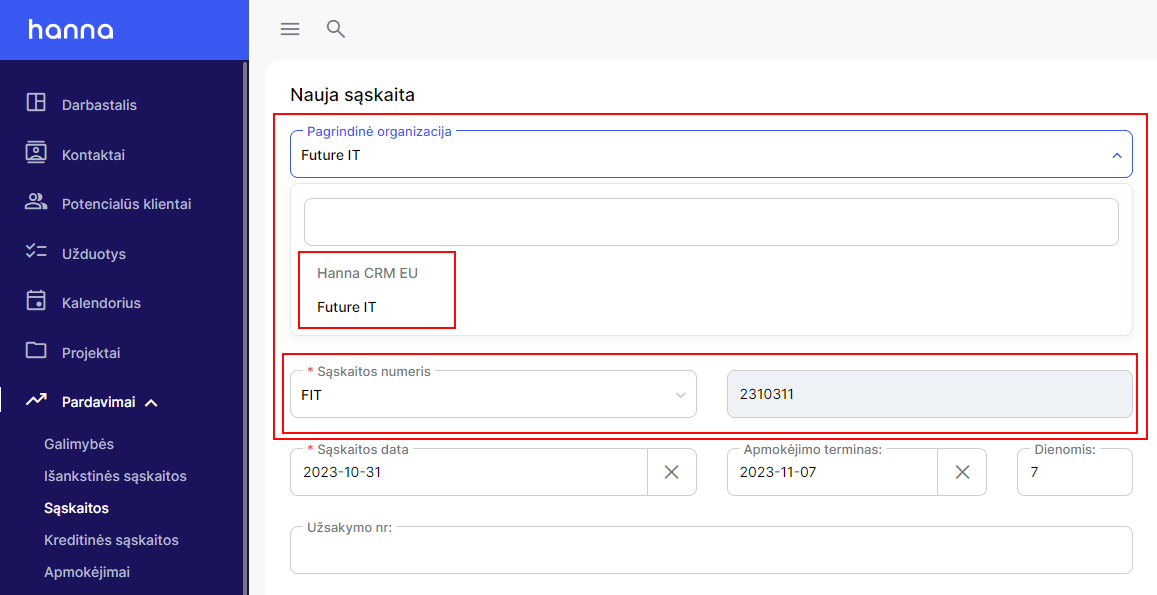
- Then, when creating sales documents, you will be able to choose an organization, and the system will display possible numberings accordingly:
Assignment of rights to employees by organization
You can assign rights to employees to see only those records that belong to the organization specified by them. For example: if John belongs to the Vilnius organization and Peter to the Kaunas organization, in this case Peter will not be able to see the records belonging to the Vilnius organization, and John will not be able to see the records belonging to the Kaunas organization.
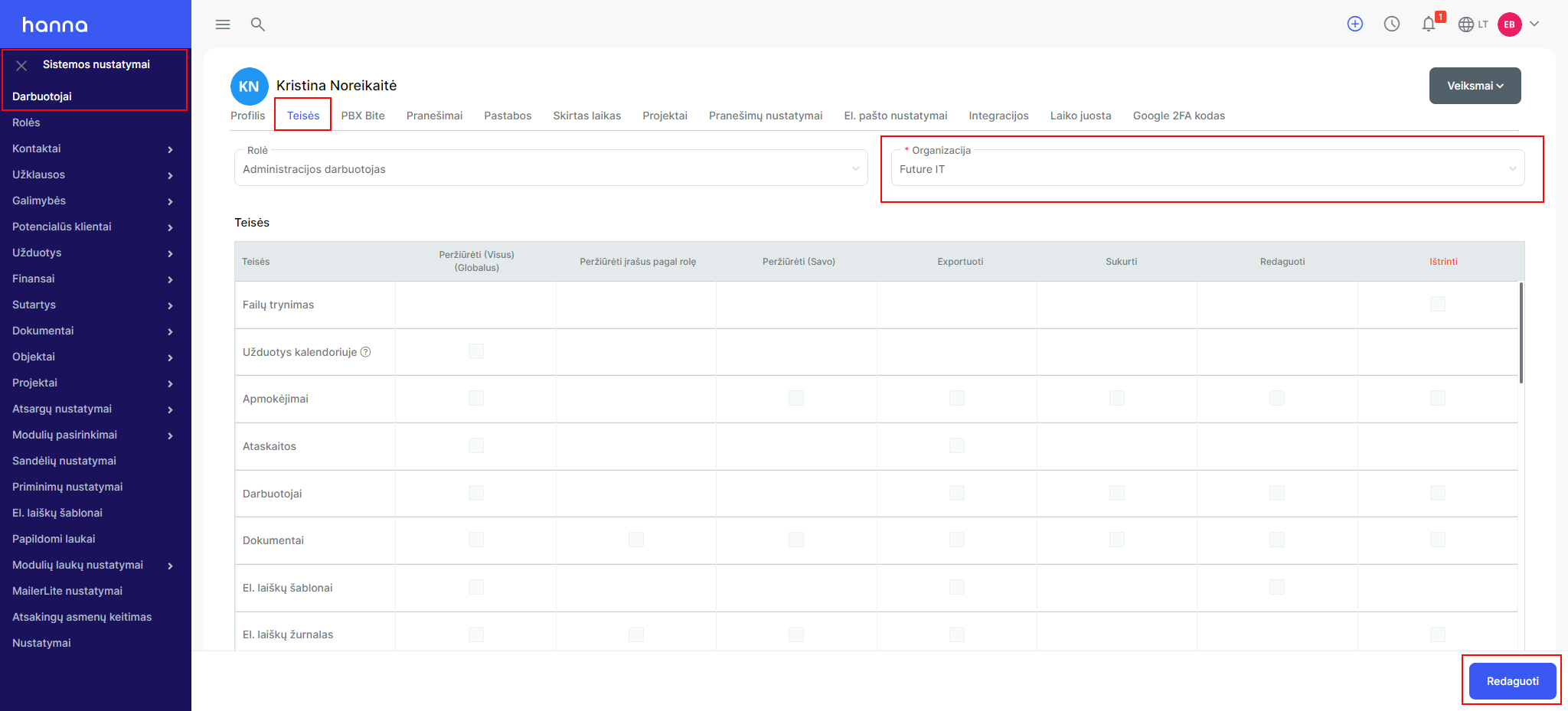
- Select to assign rights to the employee according to the organizationSystem settings - Employees- select the desired employee -Rights- selectEditbutton and in the boxOrganizationchange the organization and save the changes:
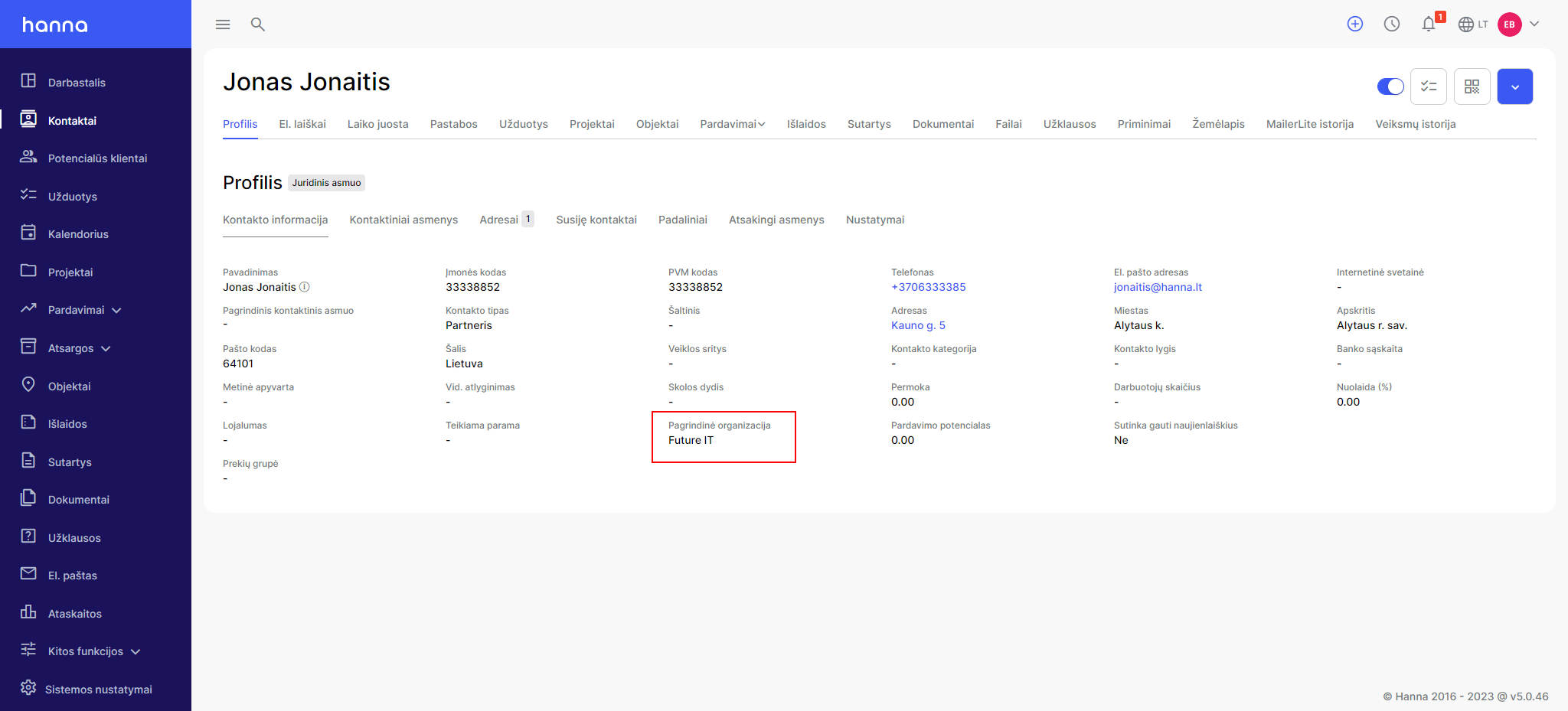
- After assigning an organization to an employee, he will see only records according to the organization:
Was this helpful?
Still need help? Ask the team