Marking customers with overdue payments
Last updated 19 days ago
In the Hanna system, you can mark debtors in red.
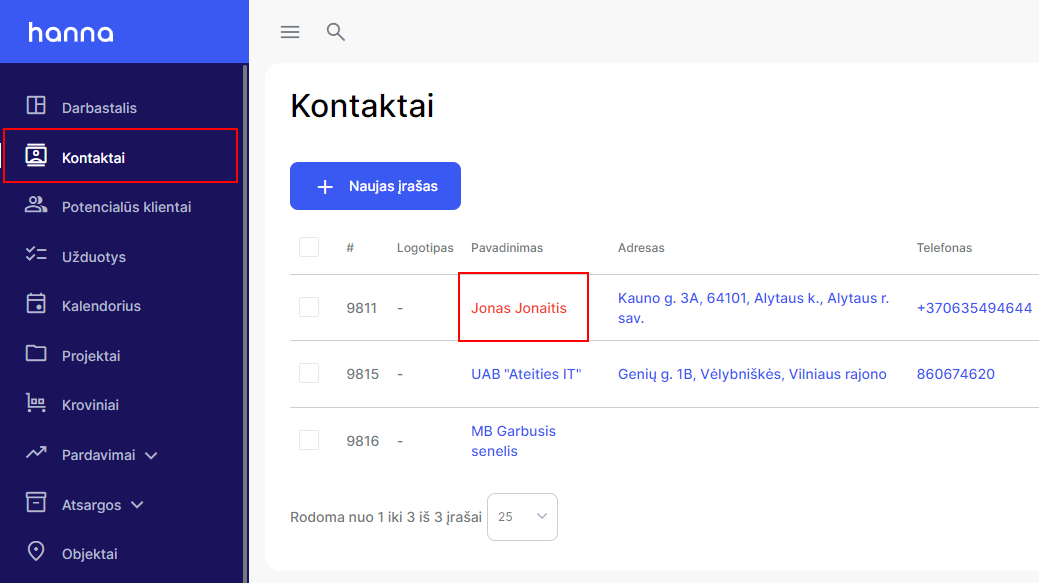
- Select the contact you want to mark as a debtor and choose to edit it:
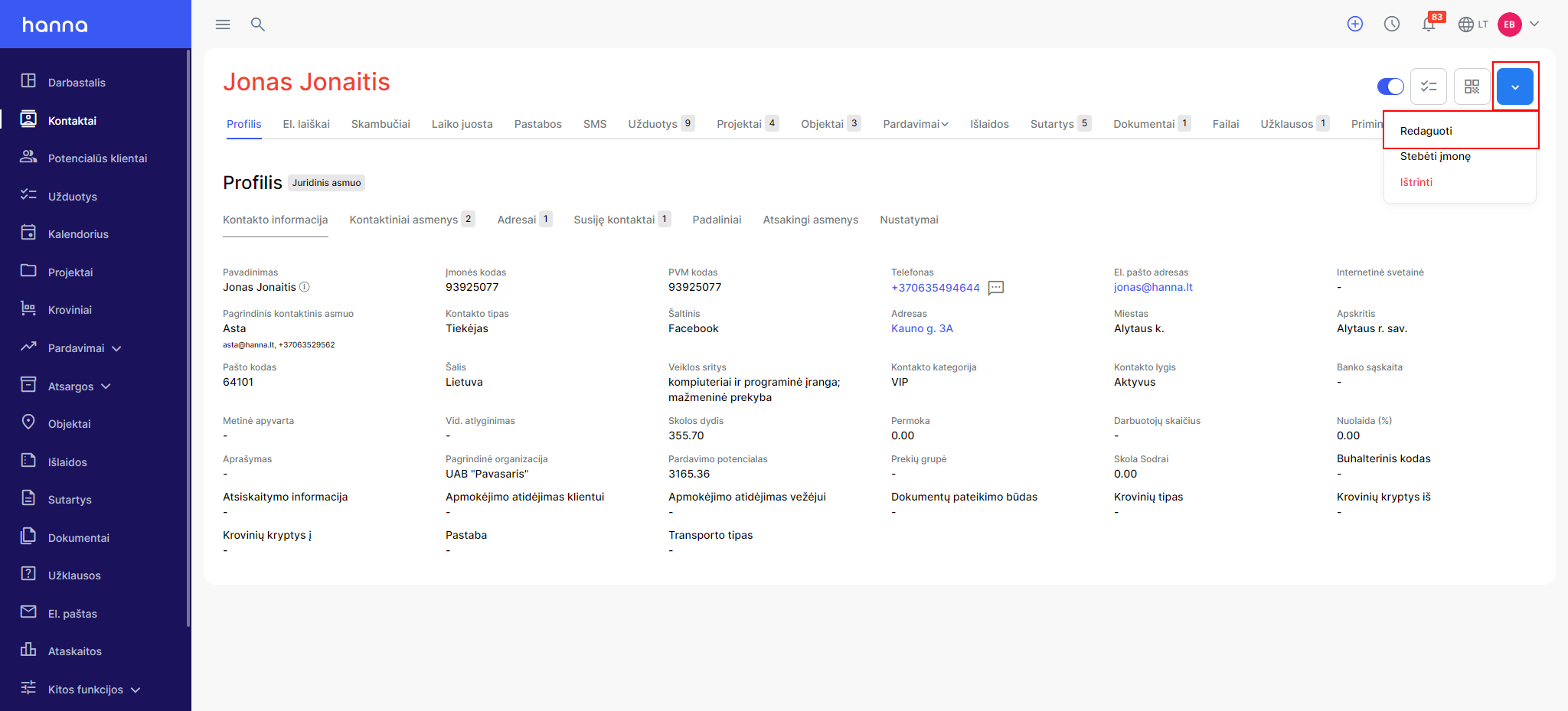
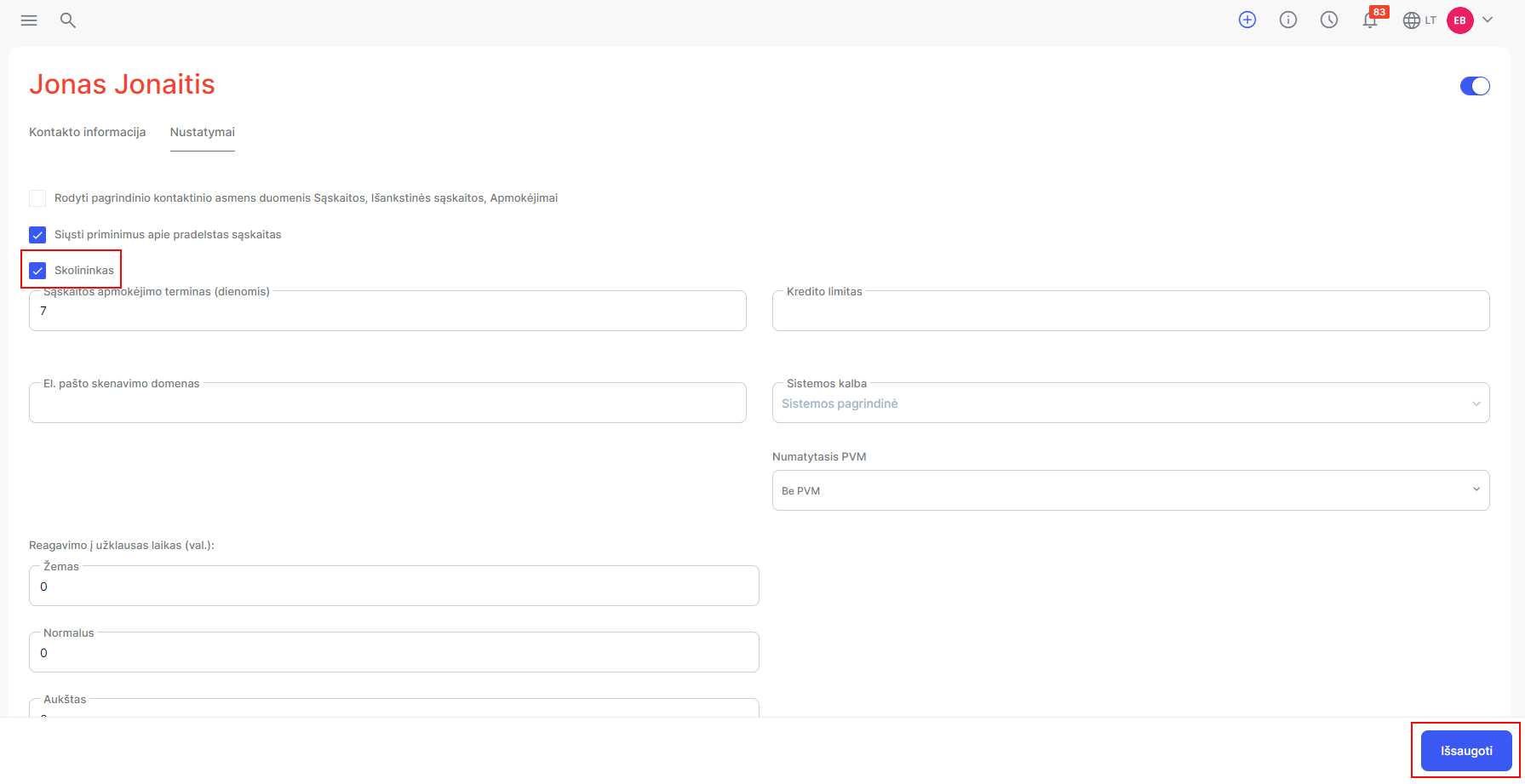
- ChooseSettings- check the optionDebtorand save the changes:
- After making the following changes, this contact will be highlighted in red in the contact list:
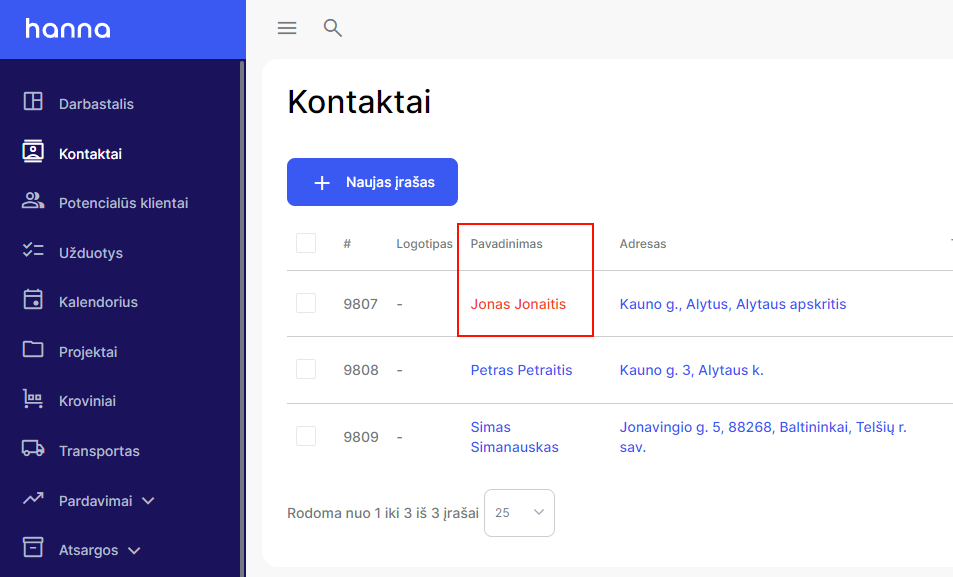
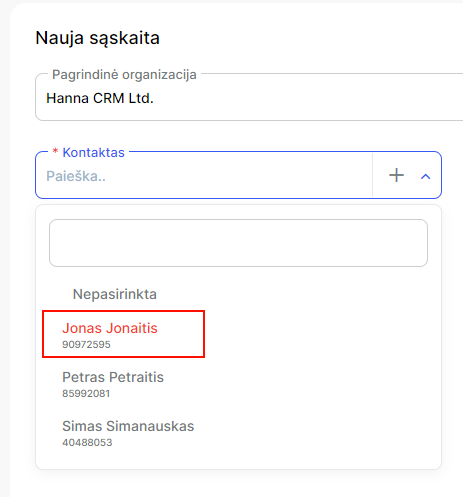
- And when creating other records, you will see the marked contact:
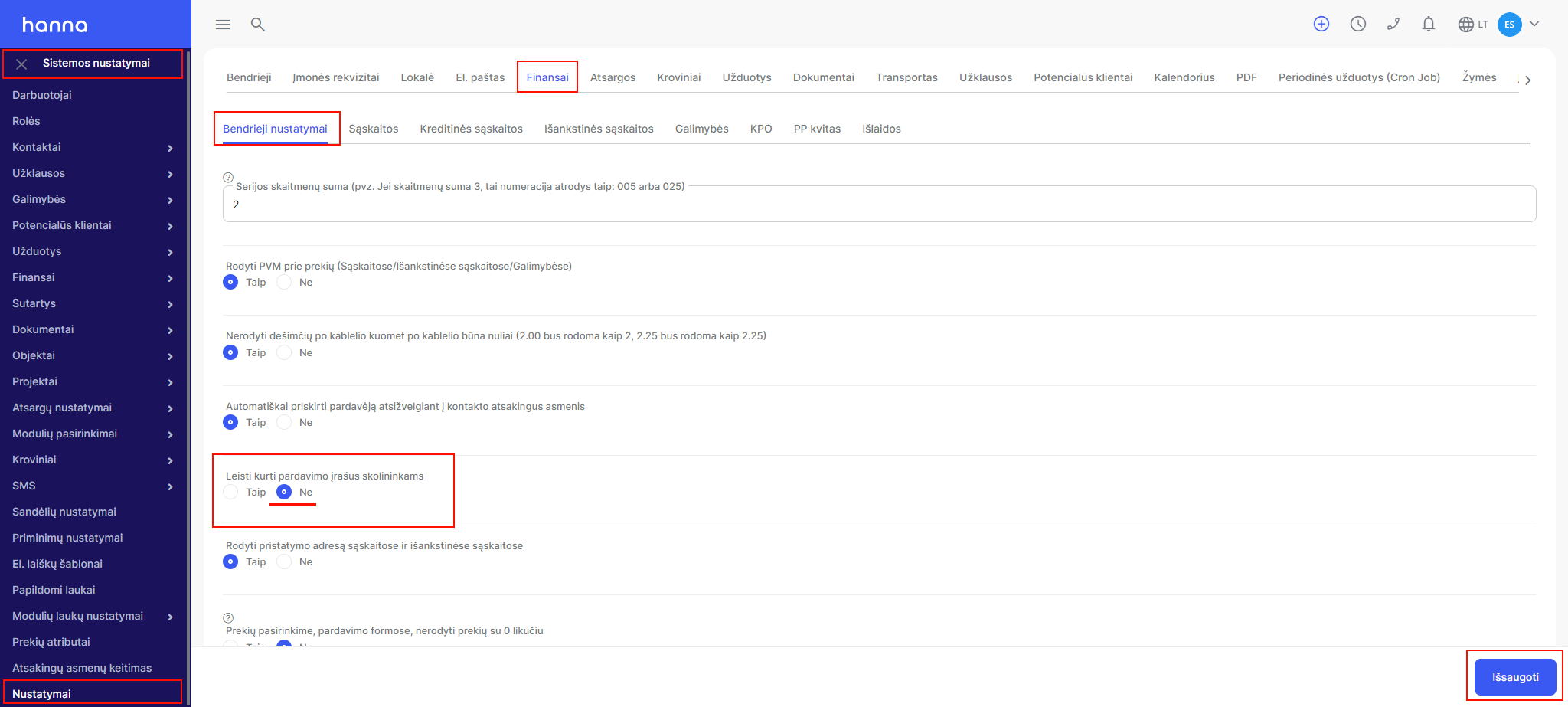
- Also, you can enable the setting, with the help of which the system will not display debtors when creating sales documents. ChooseSystem Settings - Settings - Finance - General Settings - Allow creation of sales records for debtors- tickNoand save the changes:
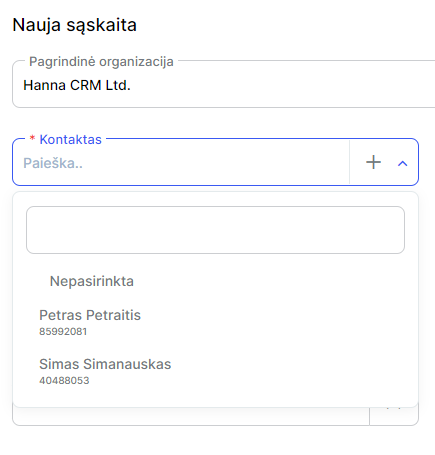
- Then, when creating sales documents, the system will not display debtors marked in red:
Was this helpful?
Still need help? Ask the team