How do I download an email in .eml format?
Last updated 19 days ago
In this manual
Outlook mailbox
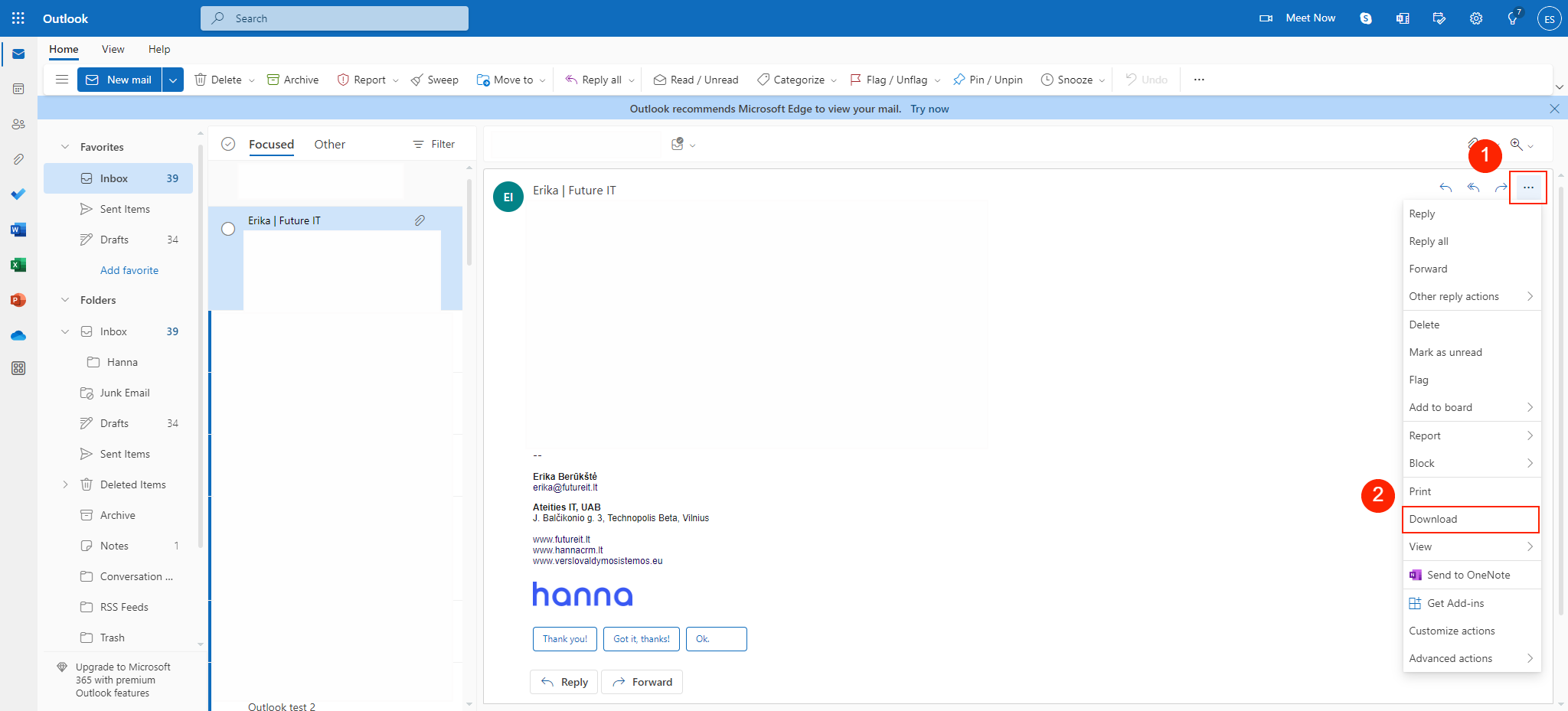
- If you use Outlook in a browser, then you can download a letter from the mailbox by selecting the view of the letter and selecting the three-dot icon, you will see the optionDownload:
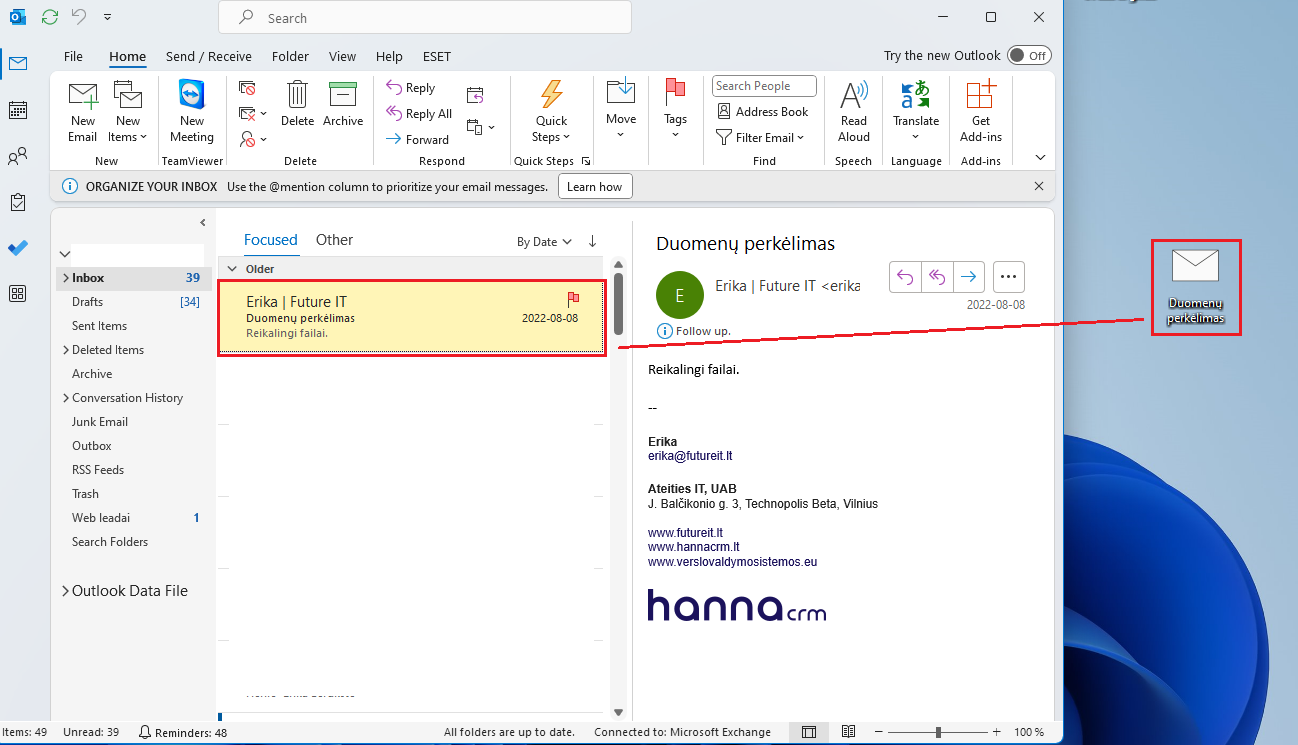
- If you use the Outlook mailbox through the application on your computer, then you can download the mail throughdrag and dropfunction. Select the desired letter with the mouse key and drag it onto the computer screen:
Gmail mailbox
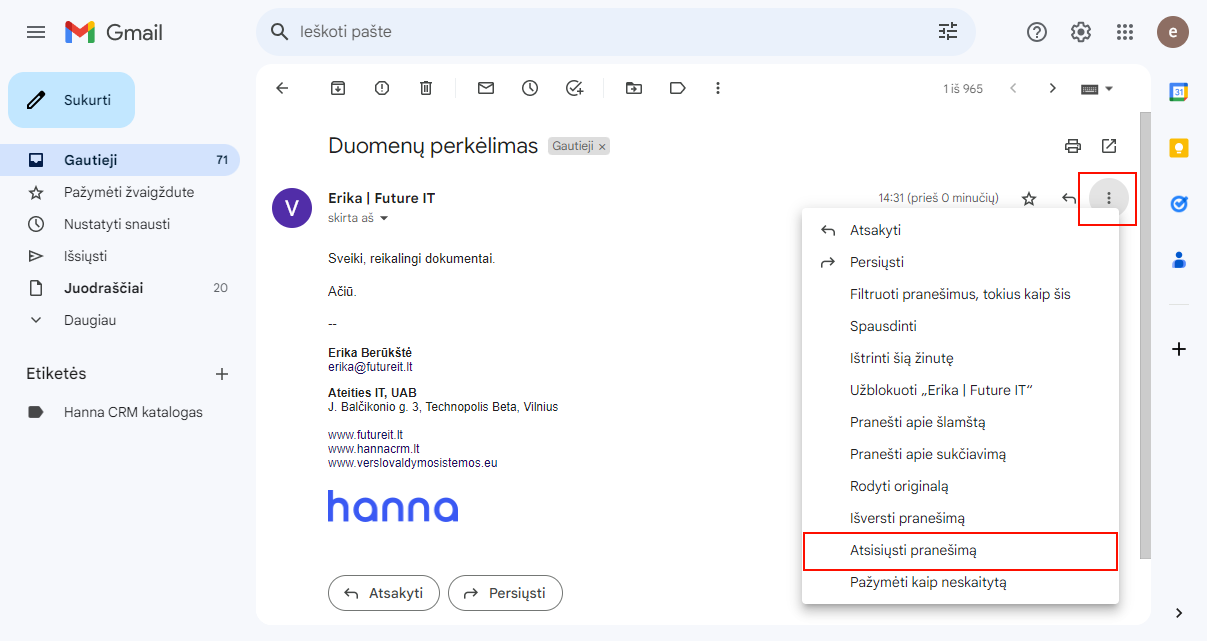
Select email preview in Gmail account, then you will see three dots icon and selectDownload message:
Serveriai.lt mailbox
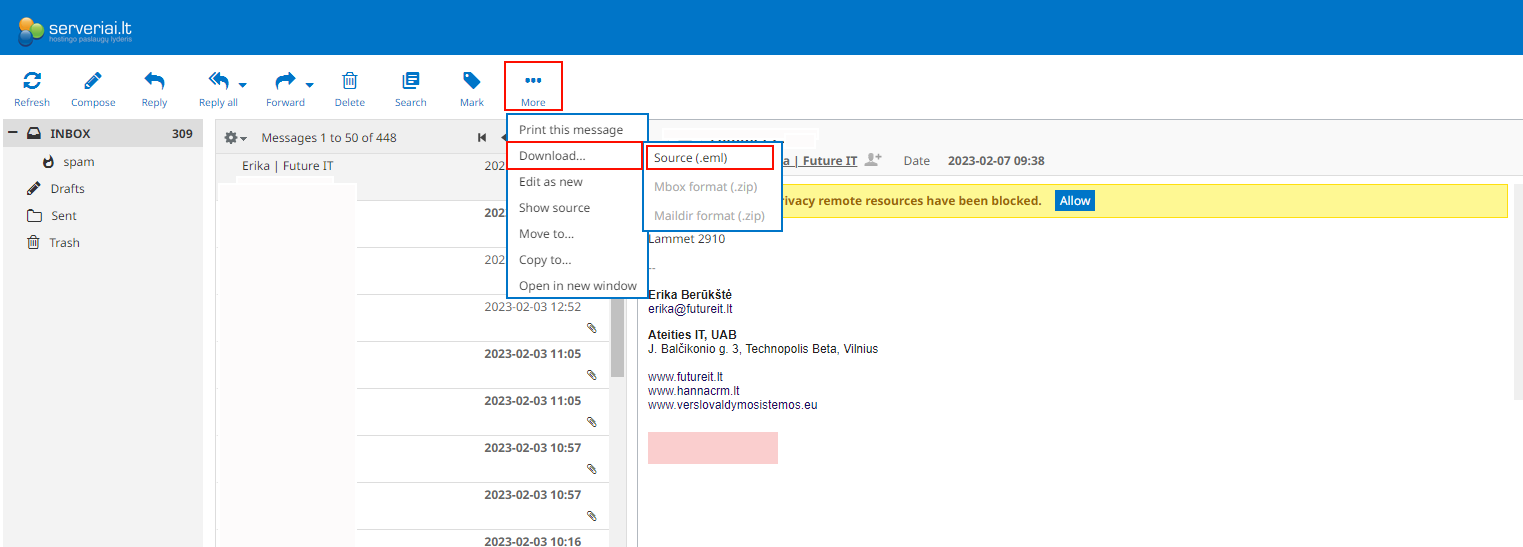
Select the preview of the desired letter - select the three-dot icon -Download - Source (.eml):
Was this helpful?
Still need help? Ask the team