How do I create an opportunity or invoice using item quantities only?
Last updated 19 days ago
In this manual
- Opportunity formation by displaying product quantities only
- Creating an invoice by displaying only product quantities
Opportunity formation by displaying product quantities only
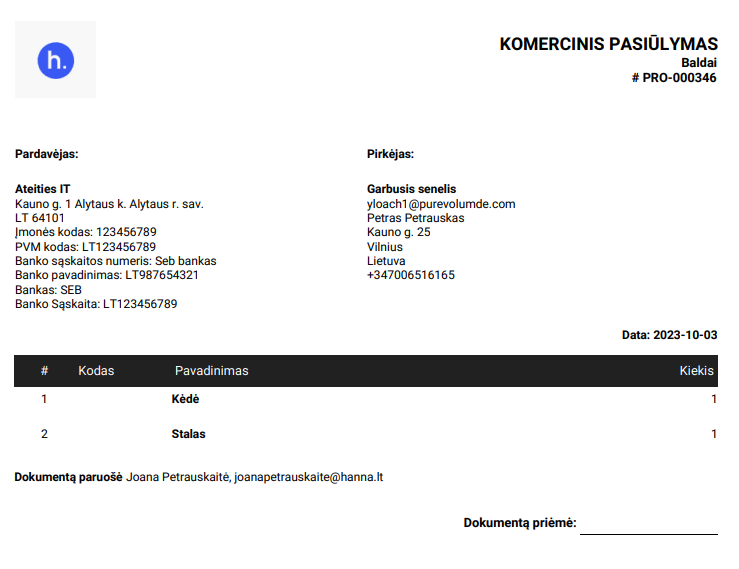
In the system, you can specify only the product name and quantity in the PDF document:
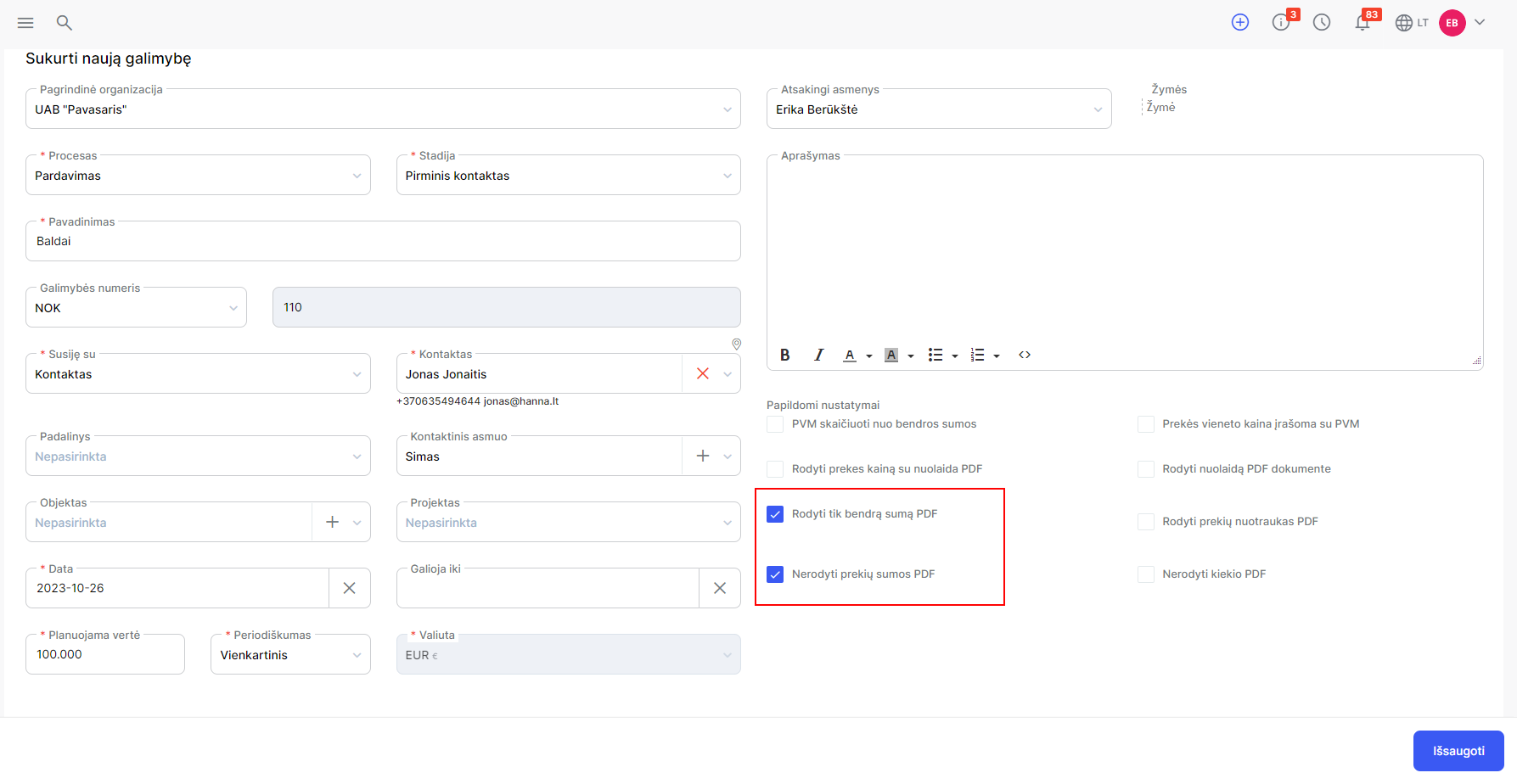
- In the Create/Edit Opportunity form, check the boxes:
- Show only total amount in PDF;
- Do not show item amount PDF.
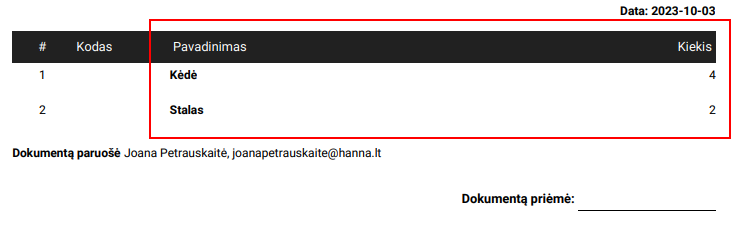
- After saving the changes, you will only see the product names and quantity in the PDF document:
- If you see an amount in words in a PDF document:
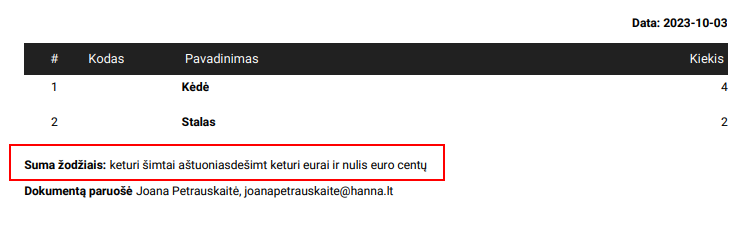
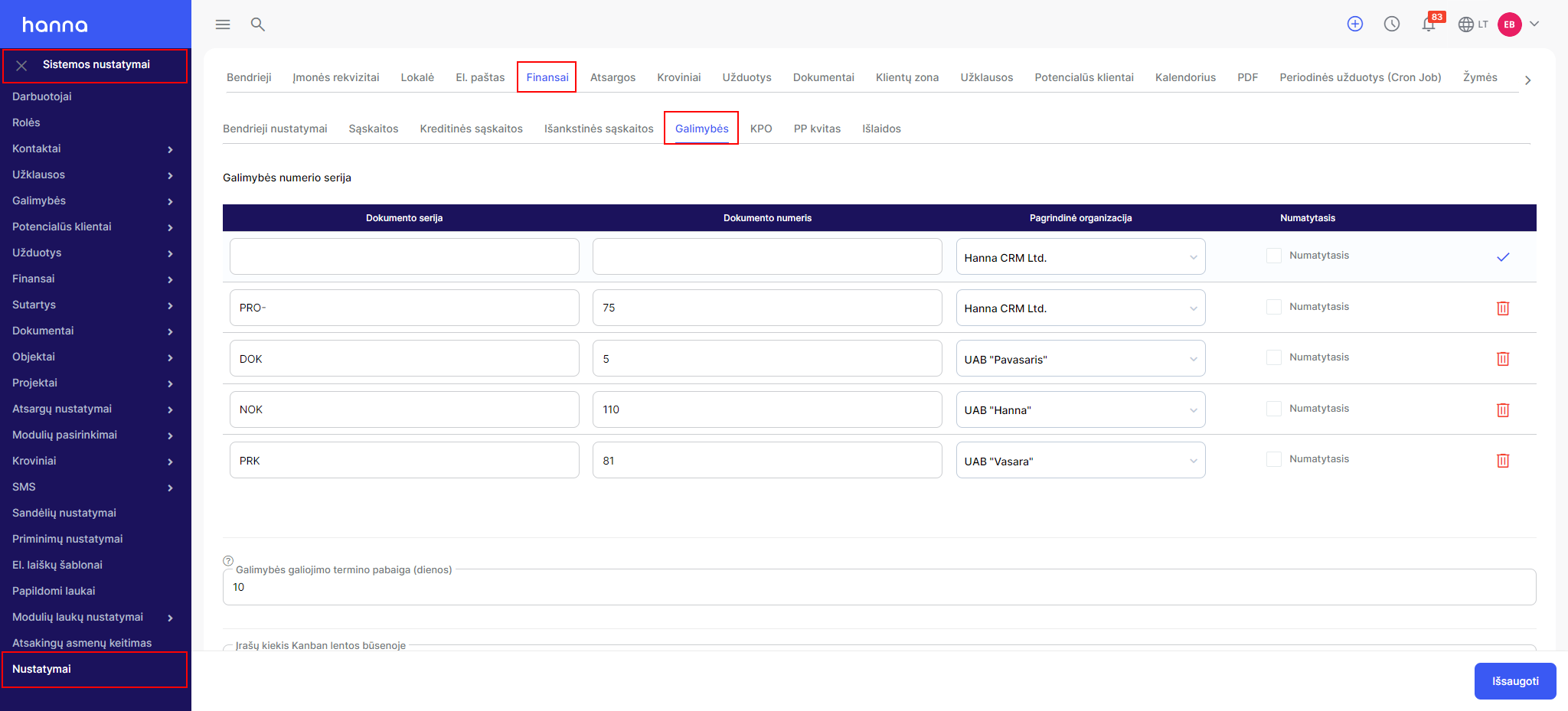
- You can disable this setting by selectingSystem Settings - Settings - Finance - Options:
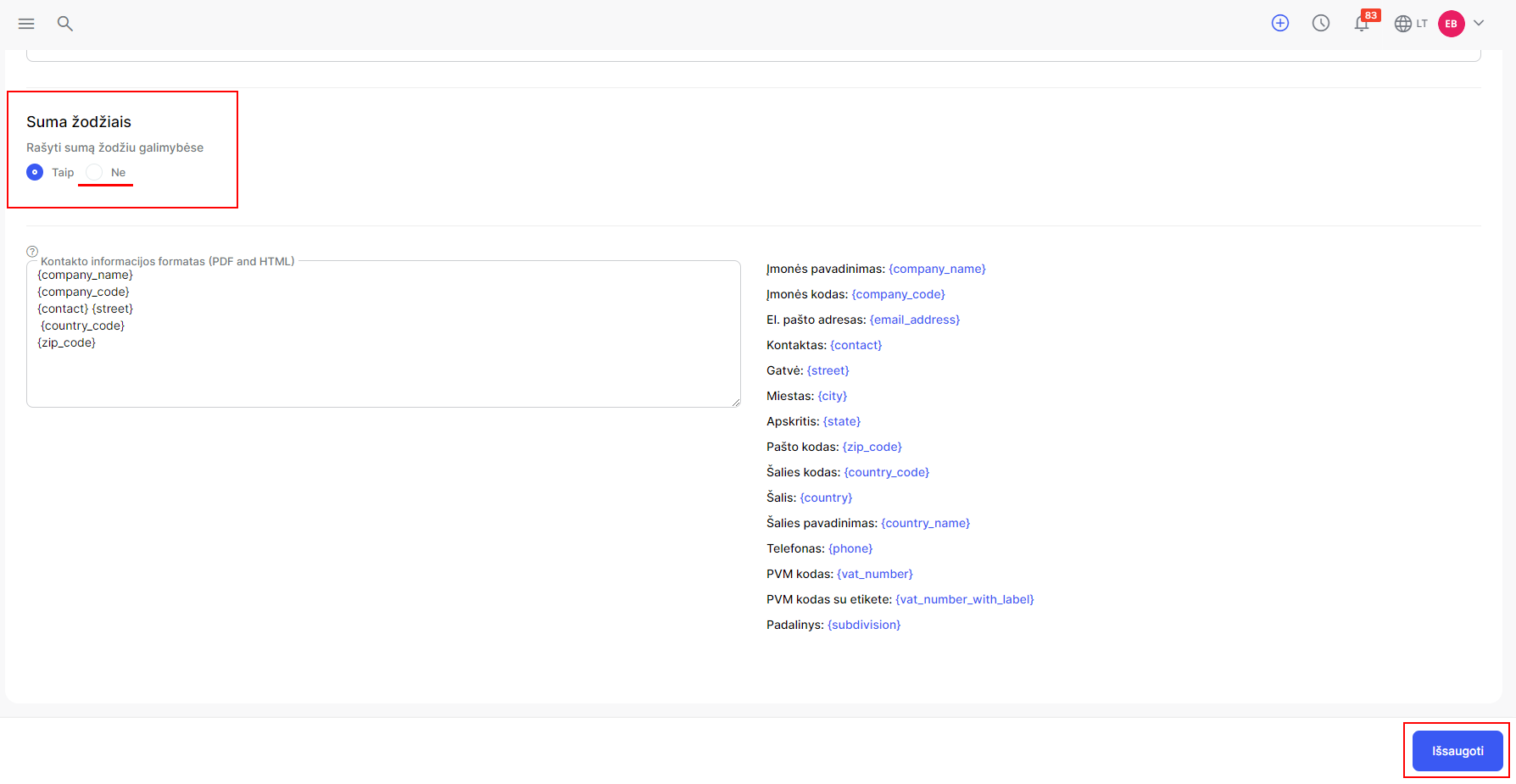
- You will see the setting below on the page Amount in words, tickNoand save the changes:
Creating an invoice by displaying only product quantities
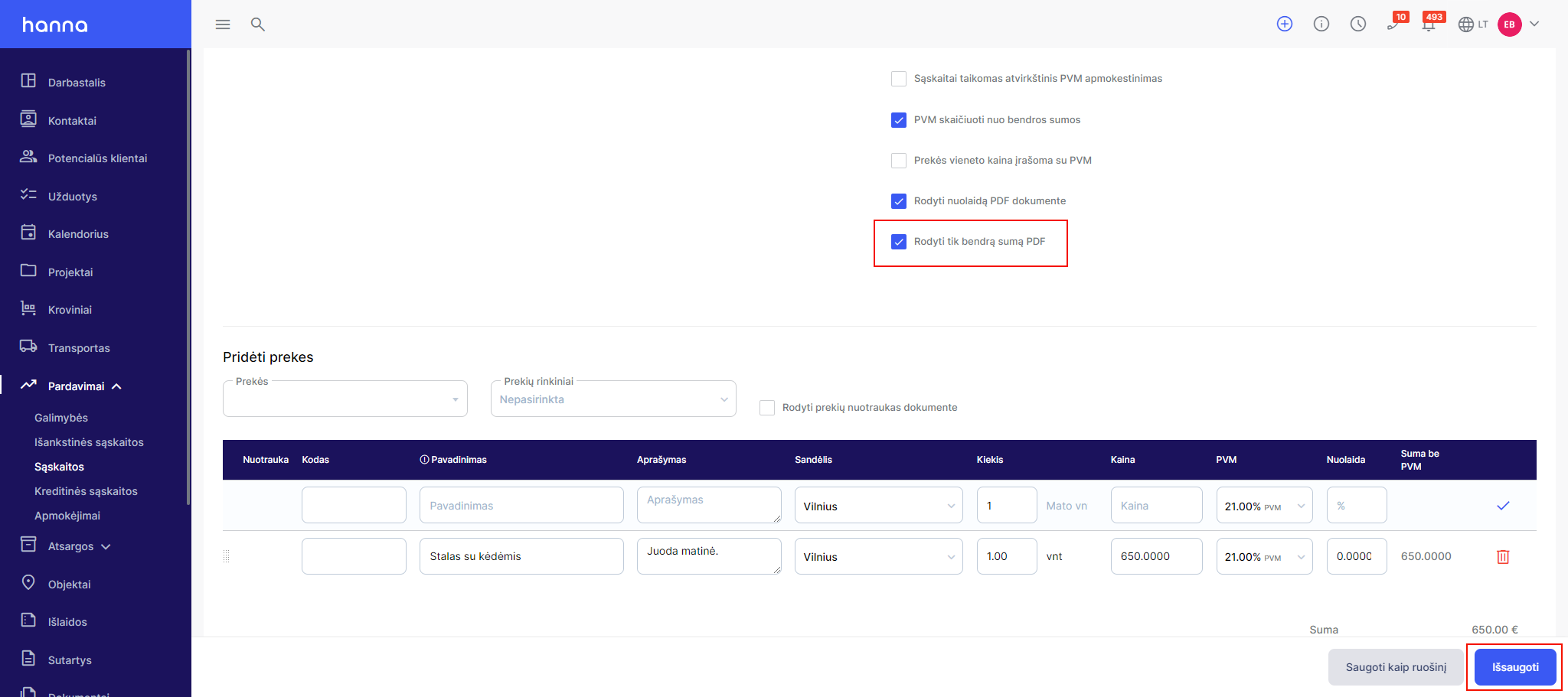
In the invoice form, select the option -Show only total amount in PDF:
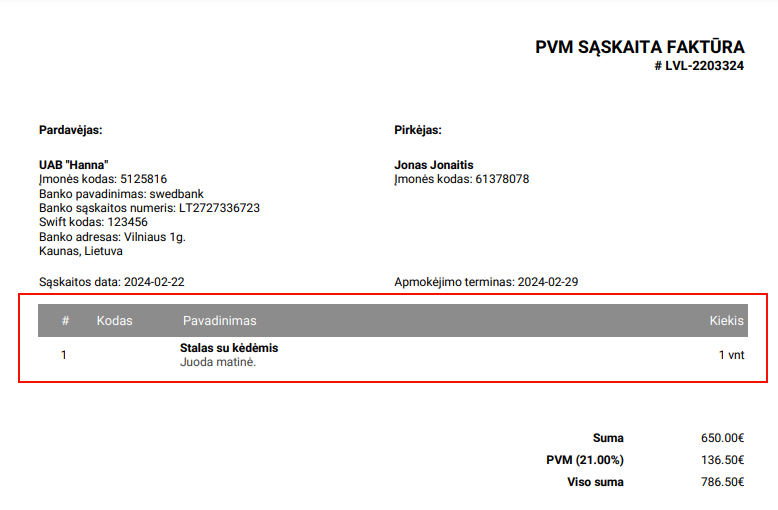
Then the invoice will be generated with only product information and quantity:
Was this helpful?
Still need help? Ask the team