FAQ

How do I create goals?

Last updated 19 days ago

You can create goals for yourself or employees in the system:

Achieve revenueThe target counts the payments received on invoices and proforma invoices.
Convert X leadsA goal counts how many leads were converted into a contact.
Increase contacts (lead conversions not included)Calculates how many contacts are created in the Contacts module excluding lead conversion.
Increase contacts (lead conversions included)Calculates how many contacts are created by including lead conversion in the Contacts module.
Create contracts by type (record creation date)The goal counts how many contracts have been created based on the selected contract type and records based on the date the contract record was created.
Create contracts by type (effective date)The goal counts how many contracts have been created based on the selected contract type and records based on the effective date of the contract record.
Create contracts by type (calculated by contract date)The target counts all contracts by type and by contract date field.
X converted proforma invoicesThe goal counts proforma invoices converted into invoices.
Complete tasksThe target counts tasks whose status is changed toDoneorDone pending confirmation.
Make salesCalculates the amounts of created invoices.
Perform sales to partiesThe goal is calculated based on the countries assigned to the contacts.
Number of emailsThe goal counts incoming emails in the system.
Opportunity value by stagesAfter selecting the goal, you can mark for which stage of the opportunity the goal will be calculated. This goal counts the total number of opportunities in the specified goal stage by period.
Increase the number of leadsA goal captures new leads created in the system. Imported clients are also captured.
Value of confirmed opportunities

The objective calculates the values ​​of approved opportunities according to:

  1. Opportunity confirmation date.
  2. Opportunity Expiration Date.
  3. Date of opportunity.

Only those opportunities whose status is counted are countedConfirmed.

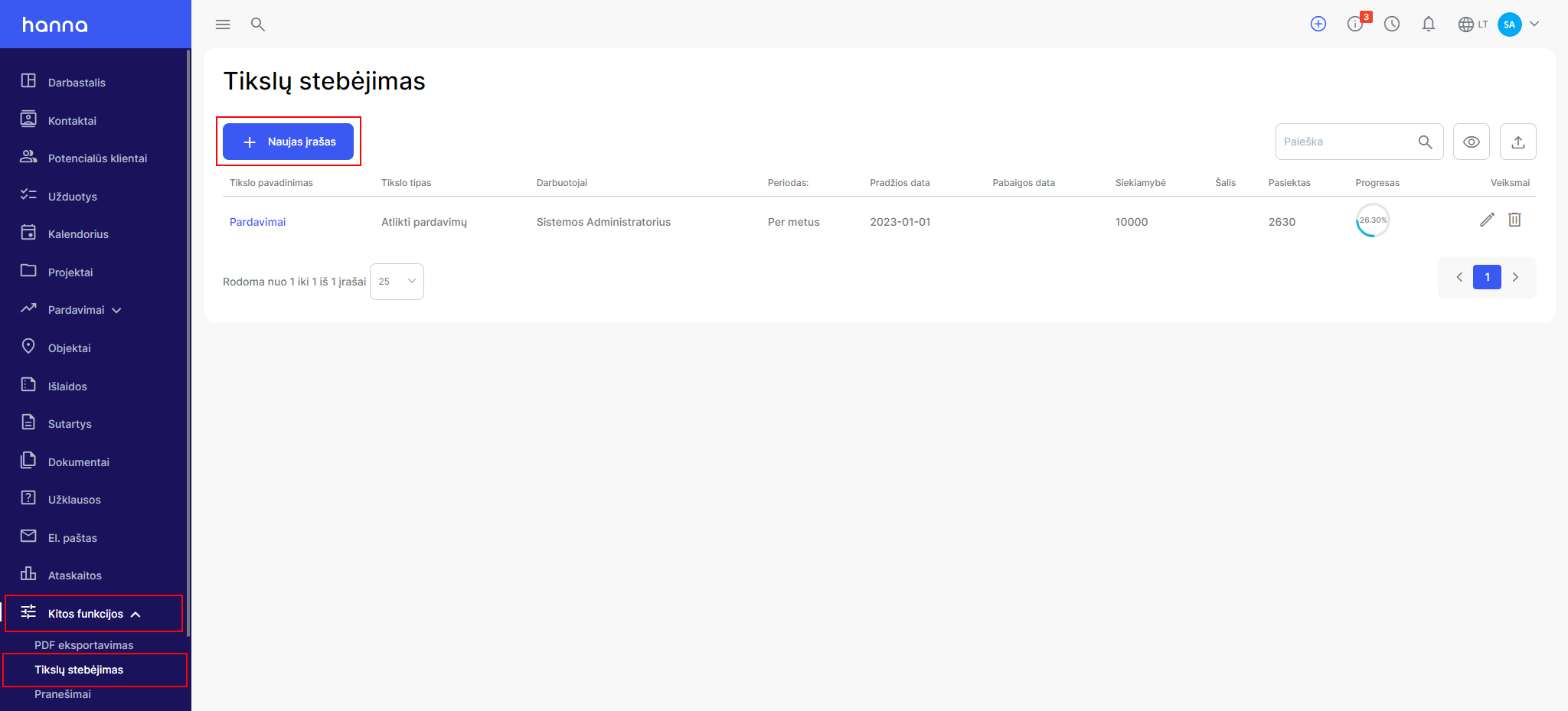
  1. Select to create a goalOther tools - Goals - New record:
  1. Fill in the information specific to the goal:
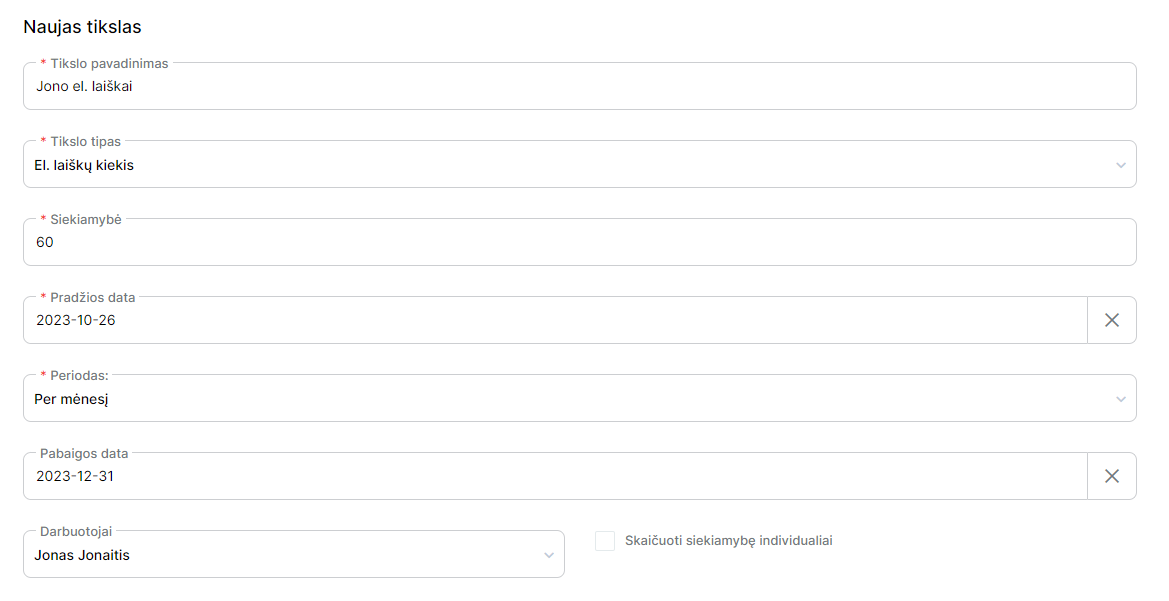
  1. If the goal is related to several employees, then you can check the box -Calculate goal progress individually,then the achieved results will be calculated for each employee separately:

  1. You will see the progress of the goals in the general list of goals:
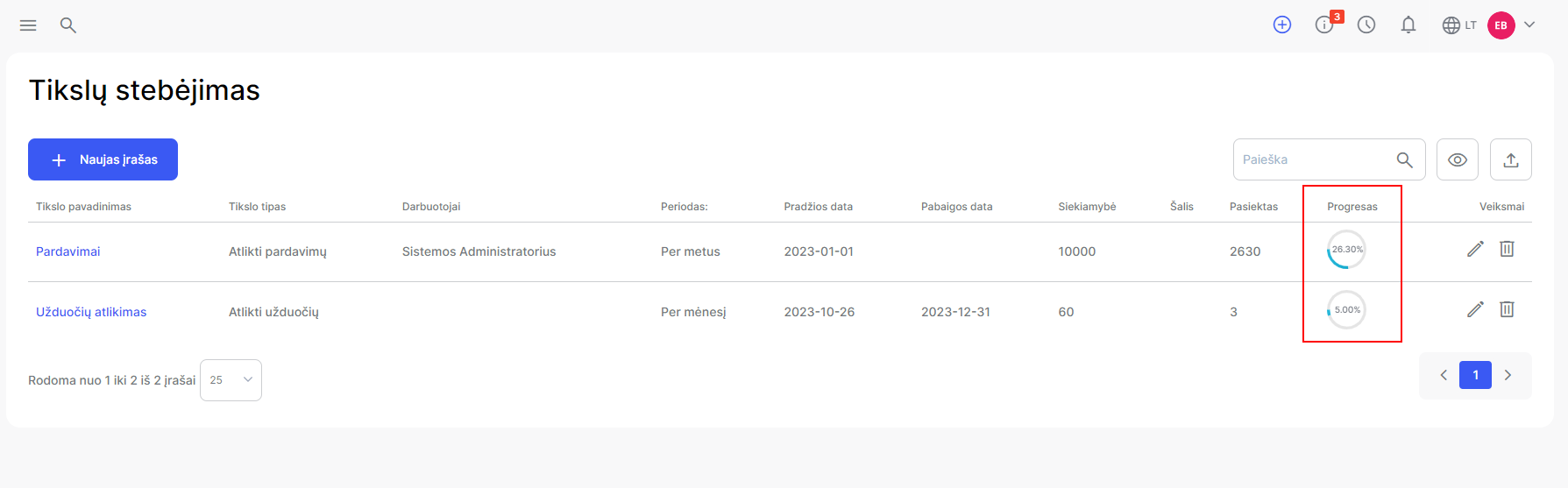
and on the desktop:
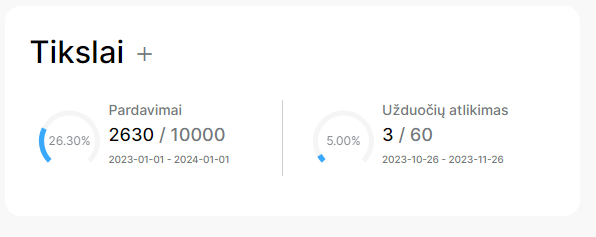
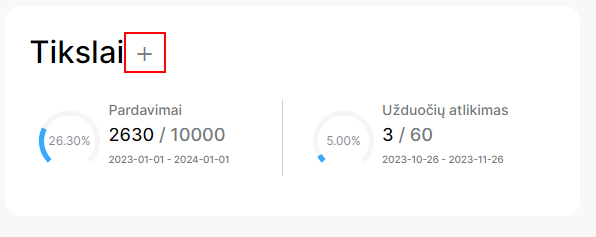
  1. If you have several goals, you can choose which goals should be displayed on the desktop by selecting the plus icon: