How do I create recurring tasks?
Last updated 19 days ago
In the system, you can automate the task creation process with the recurring tasks feature.
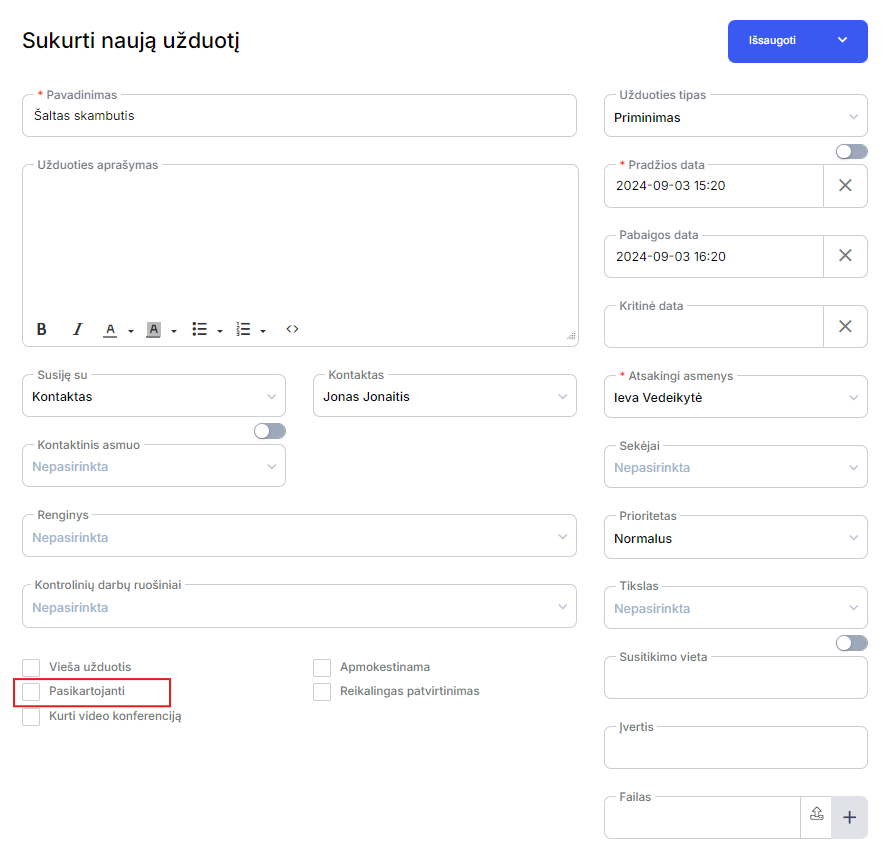
- When a new task creation window opens, fill in the required information fields. In the box below, tick the optionRepetitive.
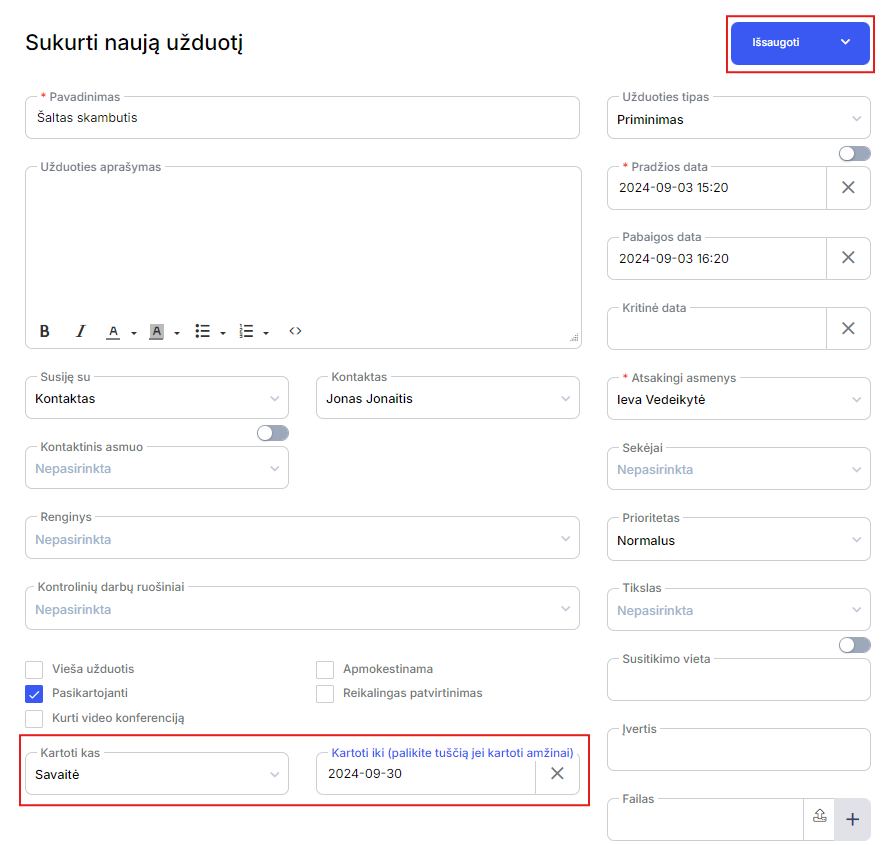
- The system will open options for how often the task should be repeated and the selection of a specific date for the period until which the task will be repeated. Choose the right option for you and save the task. If no option is selected, the task will be created indefinitely.
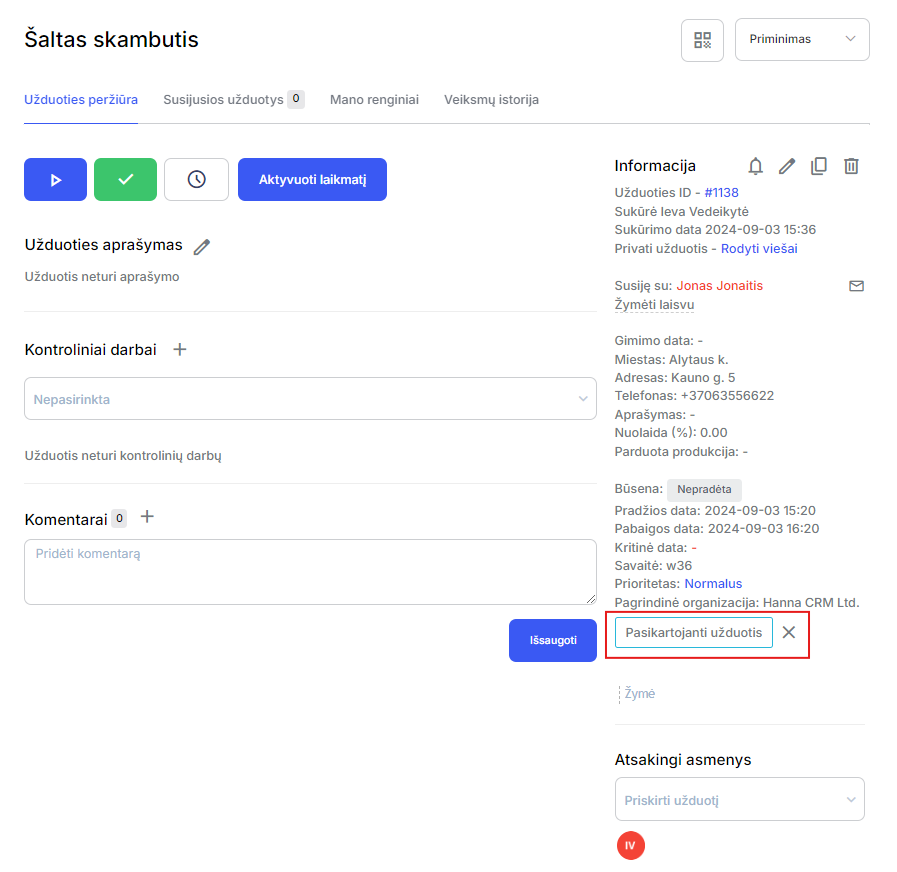
- You will see a blue box in the task previewRepetitive task. You can always cancel this feature by clicking on the X icon.
- The recurring task will be created depending on the selected setting, for example, if the task was created on the first day of a week with weekly recurrence, a new automatic task will also be created on the first day of the following week.
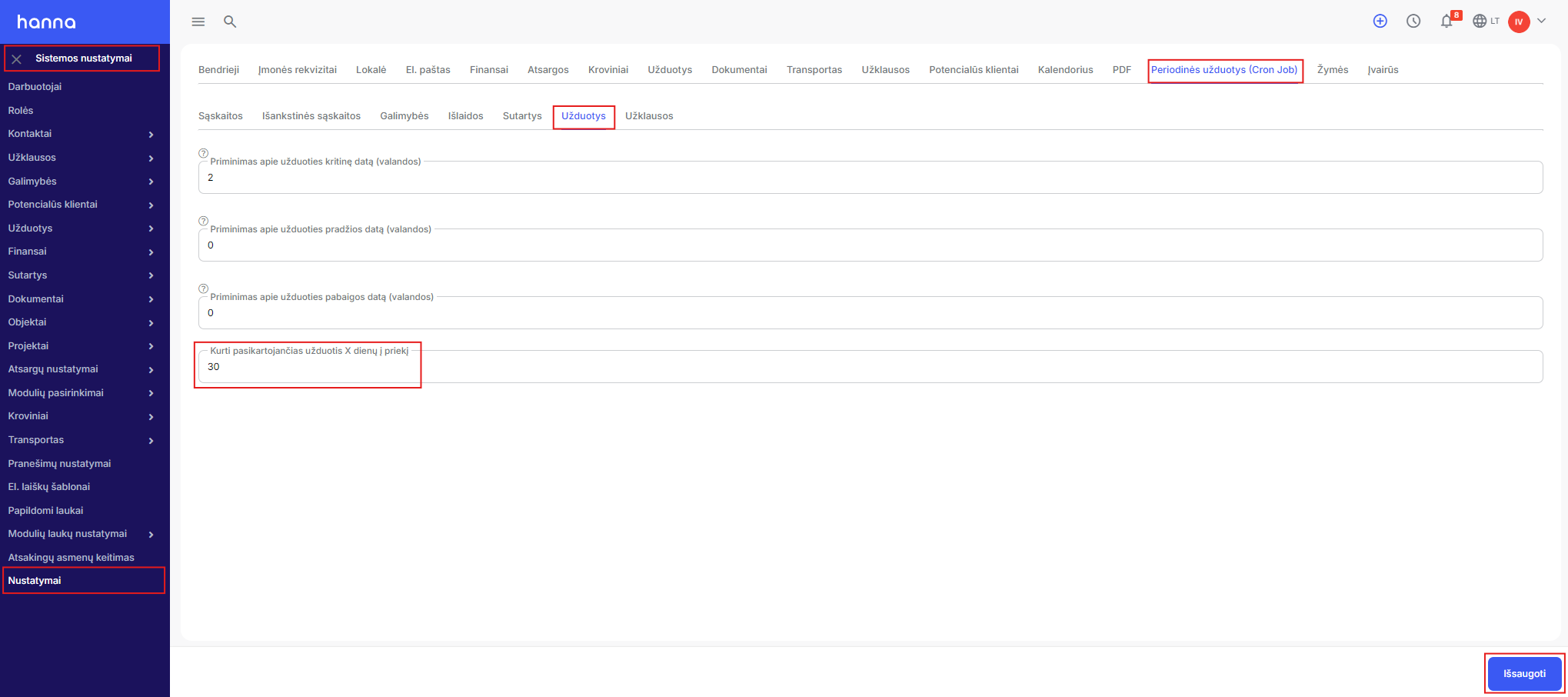
- However, the system allows you to create recurring days ahead, which will be immediately displayed on your calendar. Go tosystem settings - Settings - Periodic Tasks (Cron Job) - Tasks. At the boxCreate recurring tasks X days aheadenter the required number and save the changes.
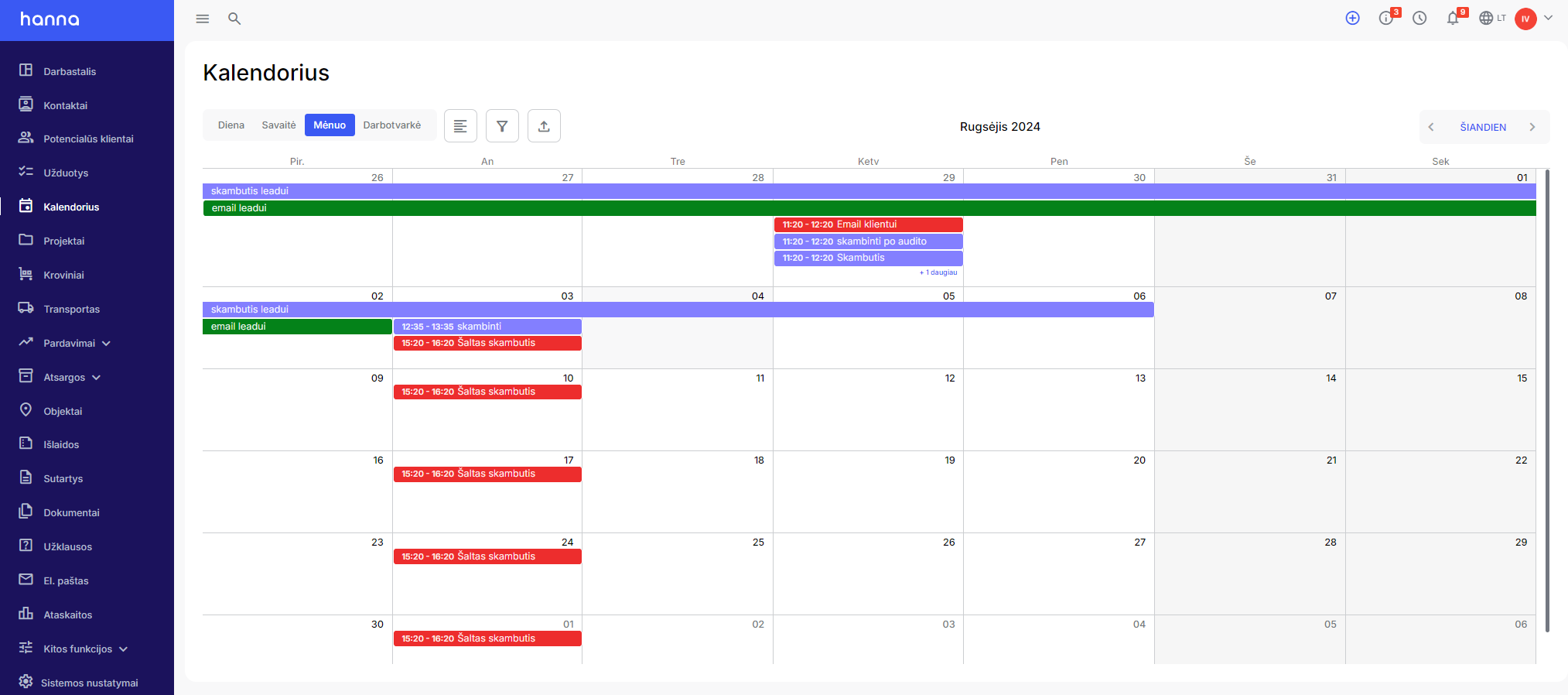
- The created tasks will be displayed in your Hanna calendar.
Was this helpful?
Still need help? Ask the team